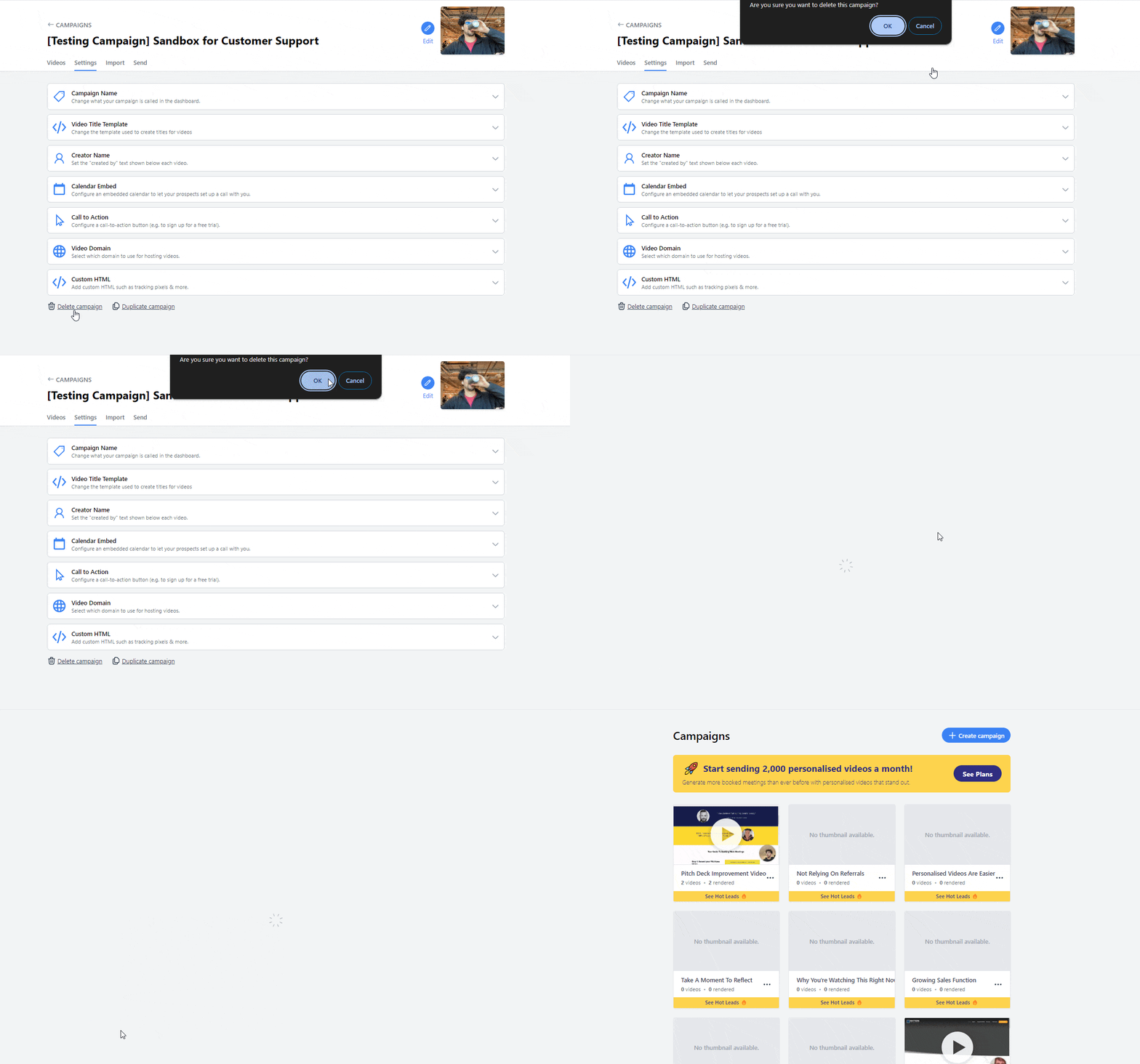
How to delete your Pitchlane Campaign
Updated
There are several reasons why you might choose to remove your campaign from our platform. To delete your campaign follow the steps below for a smooth and confirmed removal. Please remember, deleting a campaign is a permanent action, so be sure that you’ve saved all necessary information elsewhere before you proceed. Now, let’s walk through how to delete your campaign step-by-step.
1.) Navigate to your Pitchlane Campaign that you would like to delete.
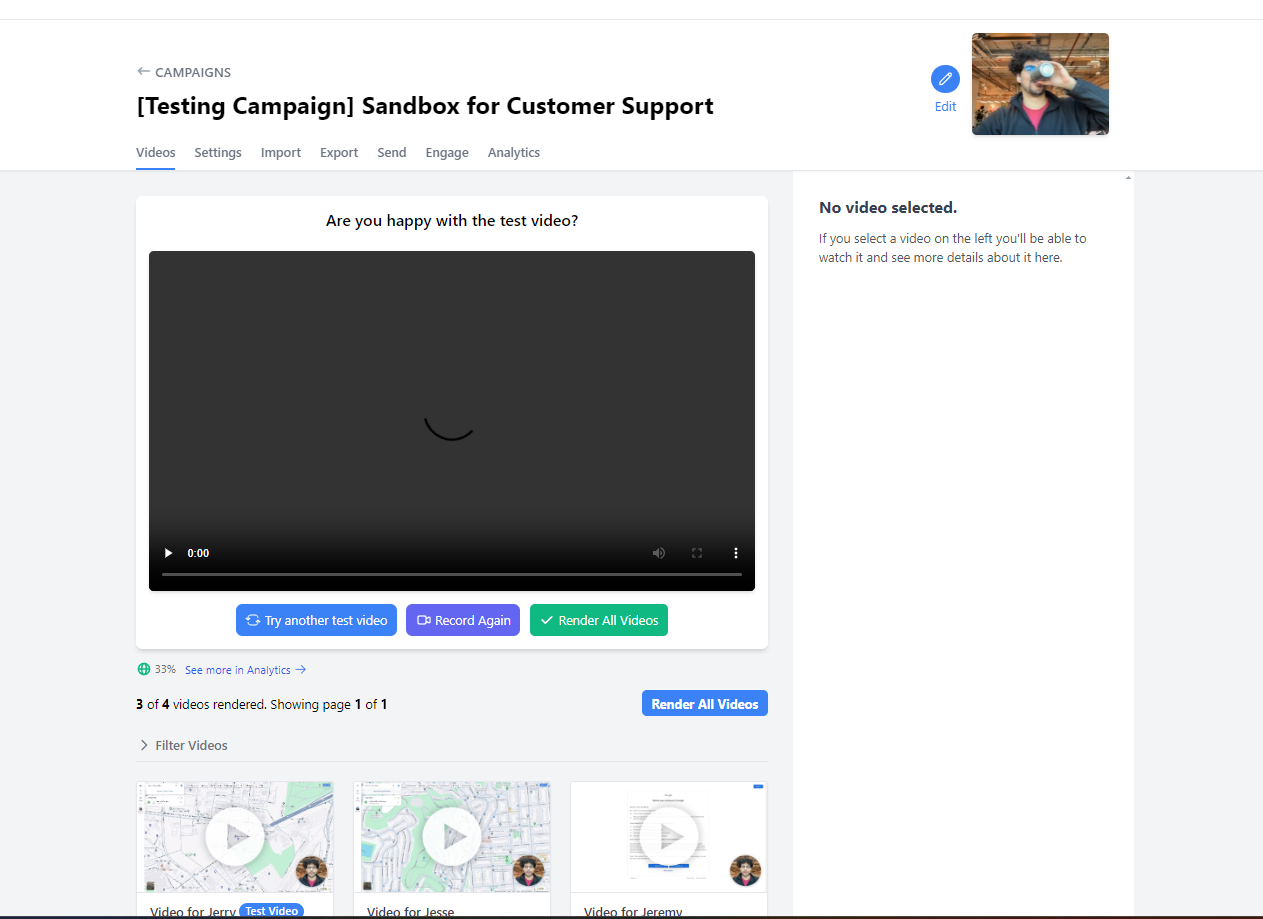
2.) Scroll down to “Delete All Videos”.
Please note that is a permanent and cannot be undone.
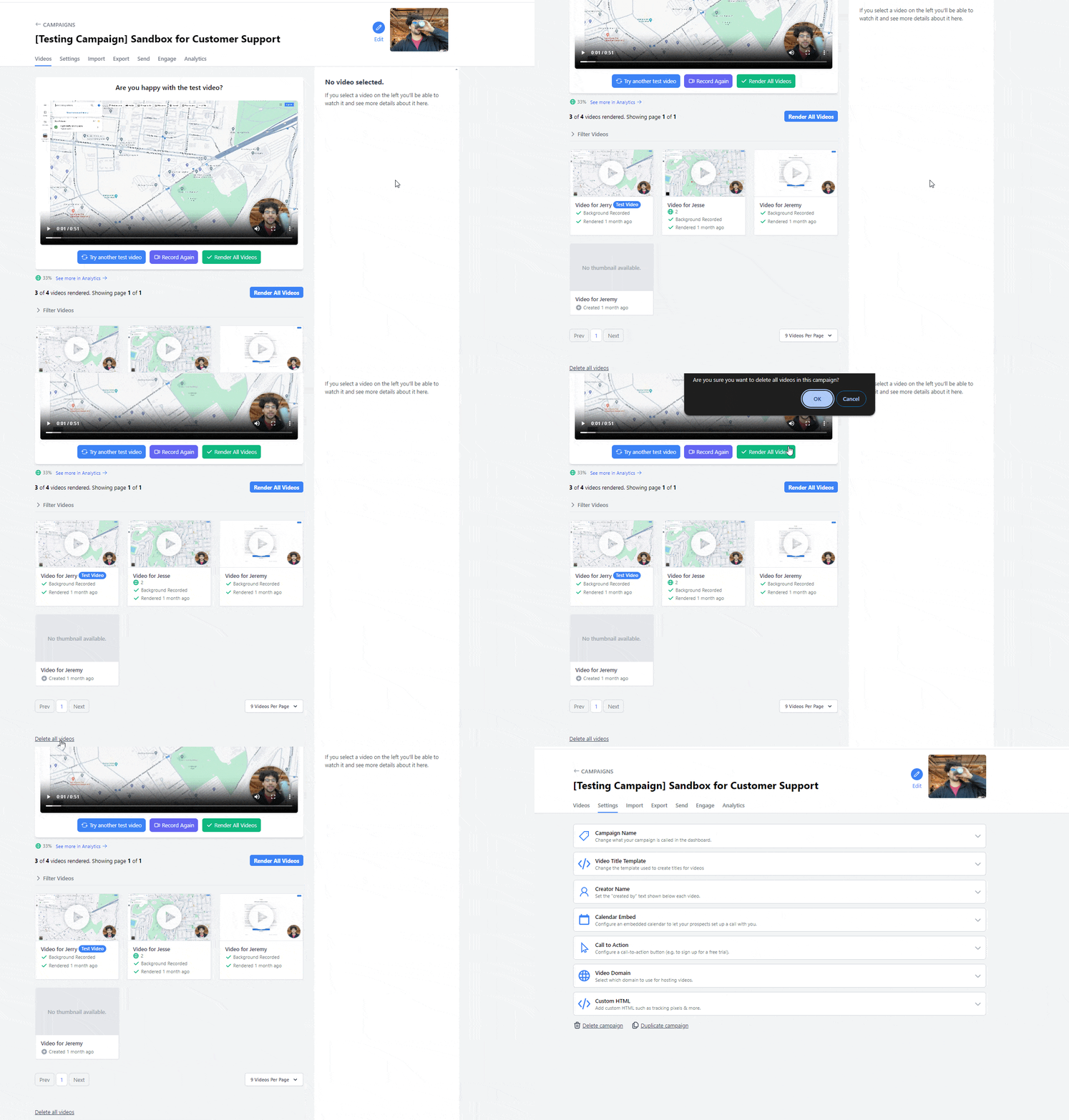
3.) Locate the button titled, “Delete Campaign” on the “Settings” page.
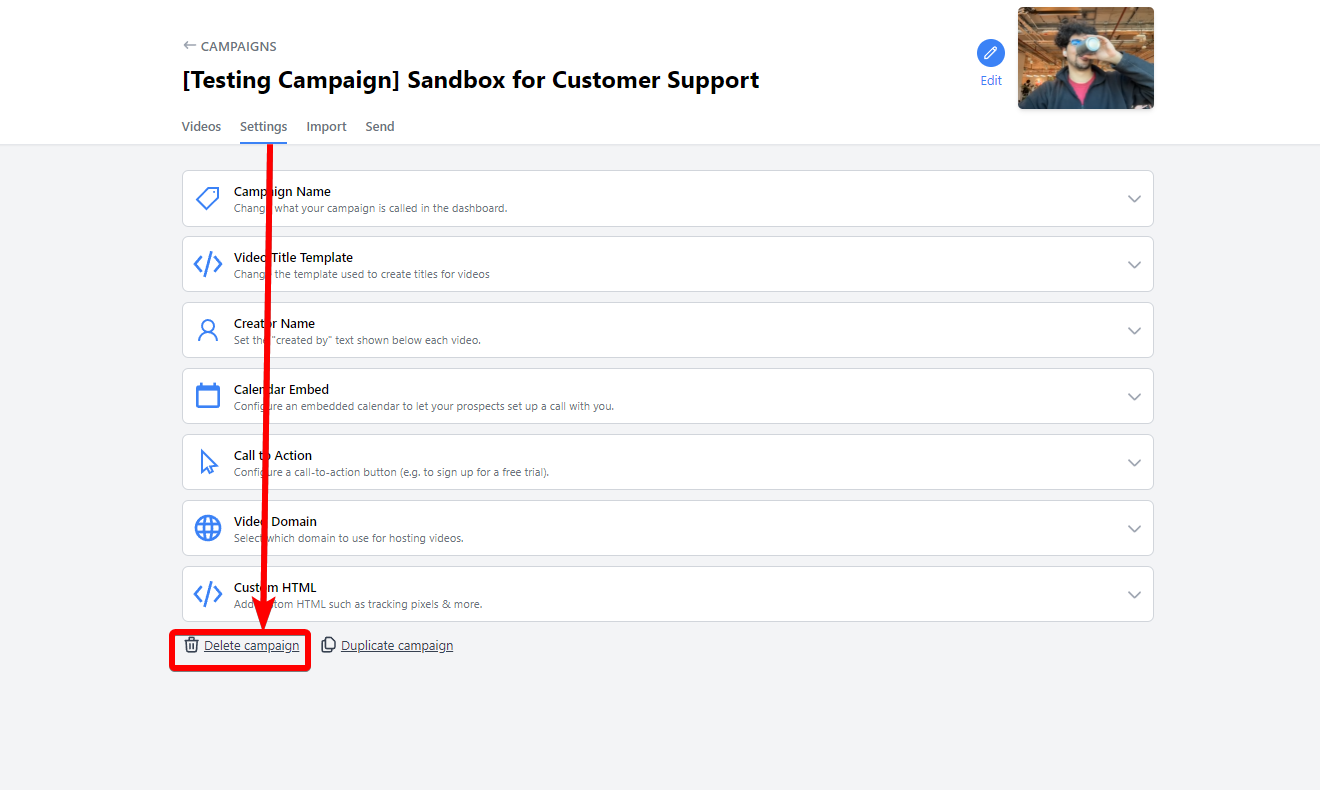
4.) Select, “Delete Campaign” and hit “ok”