
How to Get Someone Else to Record a Pitchlane Video
Updated
1.) Have the person recording the Pitchlane video download Loom: Download Here
2.) Have them configure Loom accordingly being sure to select, “Camera Only”.
3.) Ensure that your microphone & camera are on and selected.
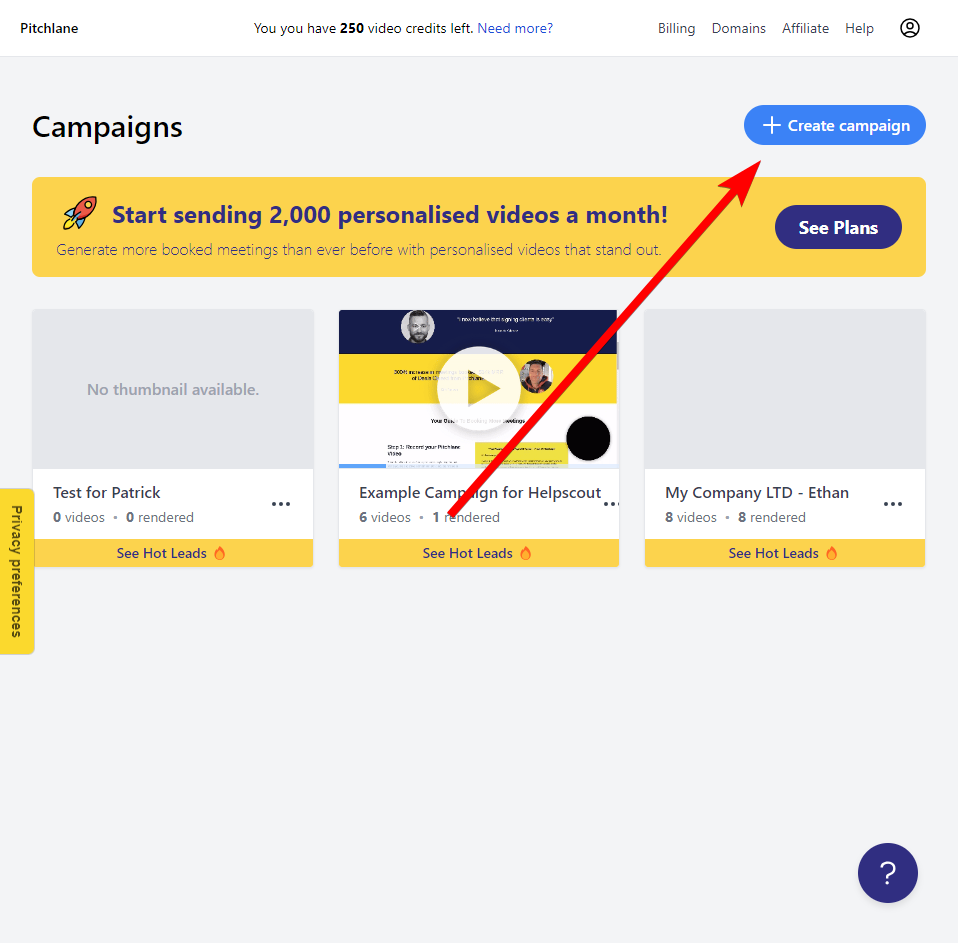
4.) Create a new Campaign
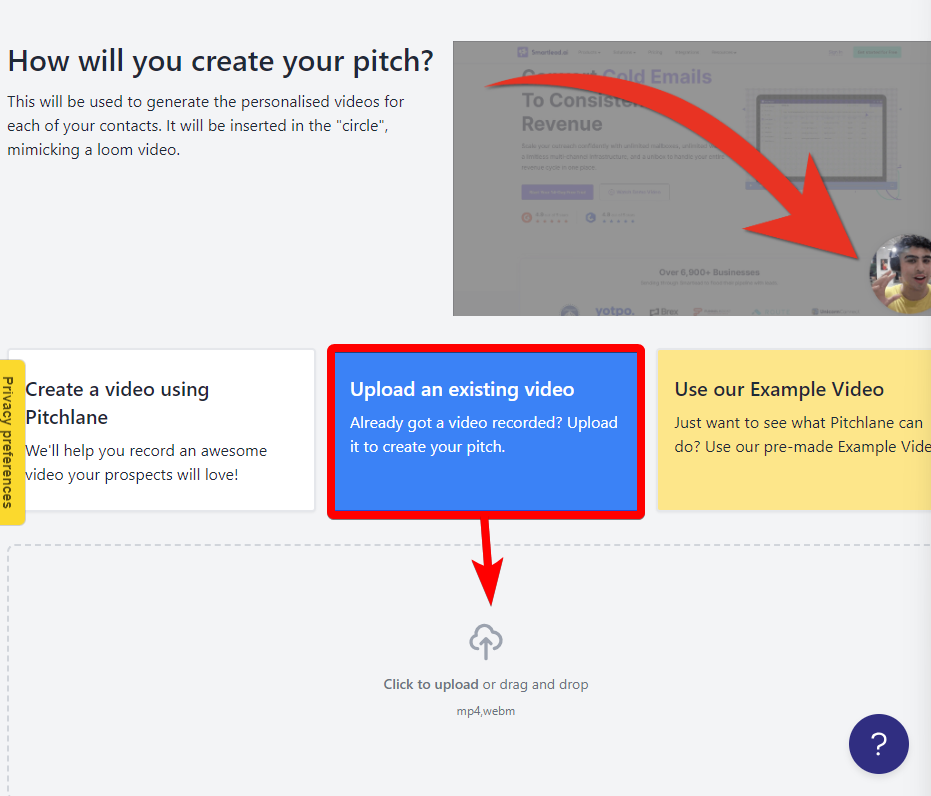
5.) Select, “Upload an Existing Video” and upload a pre-recorded video of someone else.
6.) Adjust your video’s scrolling and use the bar to add additional web pages and scrolling
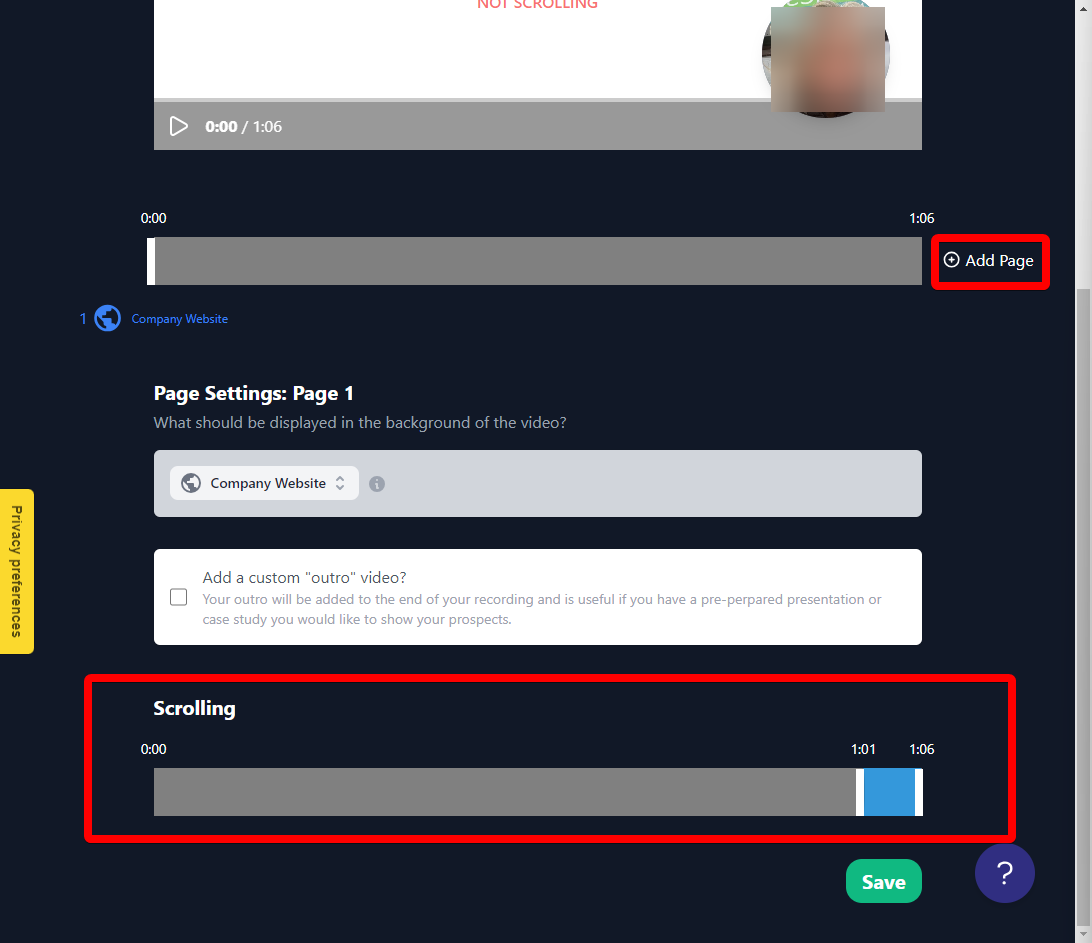
7.) Hit save and render your videos!