How to Create Pitchlane Videos Manually
Updated
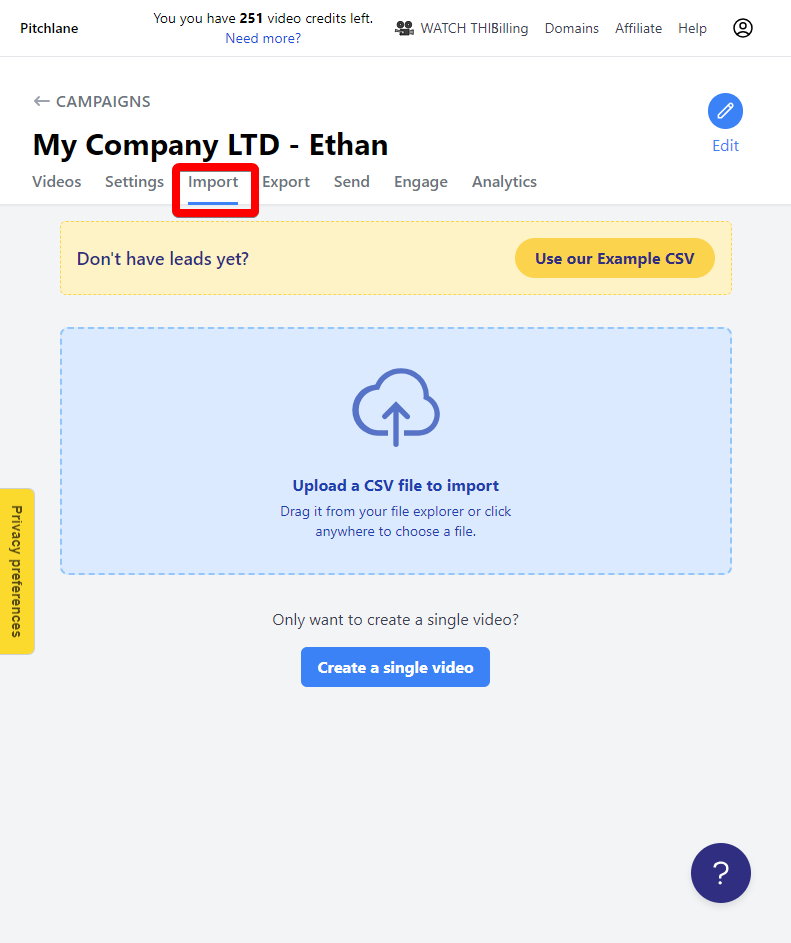
1.) Navigate to the import tab of your Pitchlane Campaign
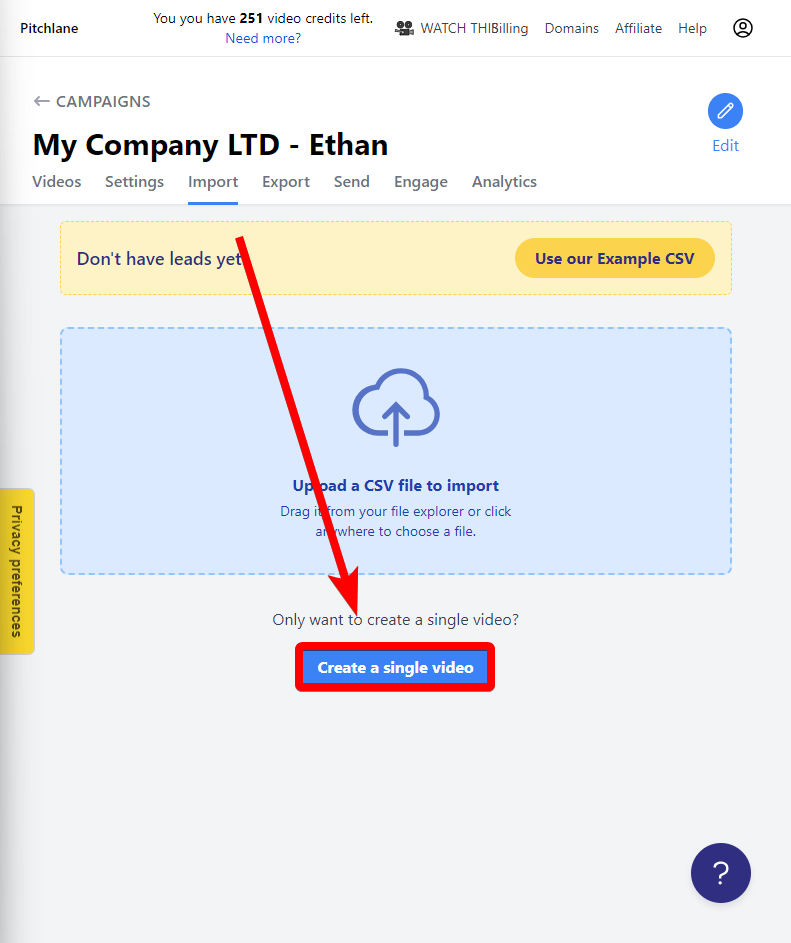
2.) When prompted with creating a single video select “Create a single video”
3.) Fill out the details for your lead!
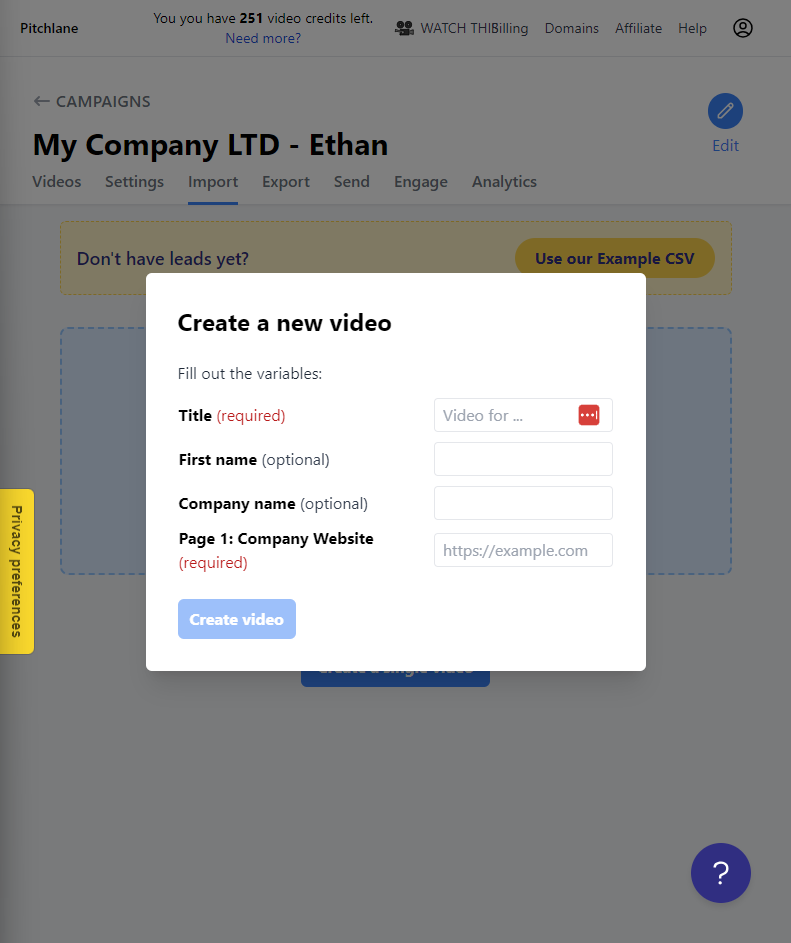
4.) Hit create video!
 Pitchlane
No results found.
Type to search.
Updated
1.) Navigate to the import tab of your Pitchlane Campaign
2.) When prompted with creating a single video select “Create a single video”
3.) Fill out the details for your lead!
4.) Hit create video!