How to engage with a Video Viewer on Go High Level
Updated
1.) Open our Zapier Template: https://zapier.com/app/editor/template/1676894
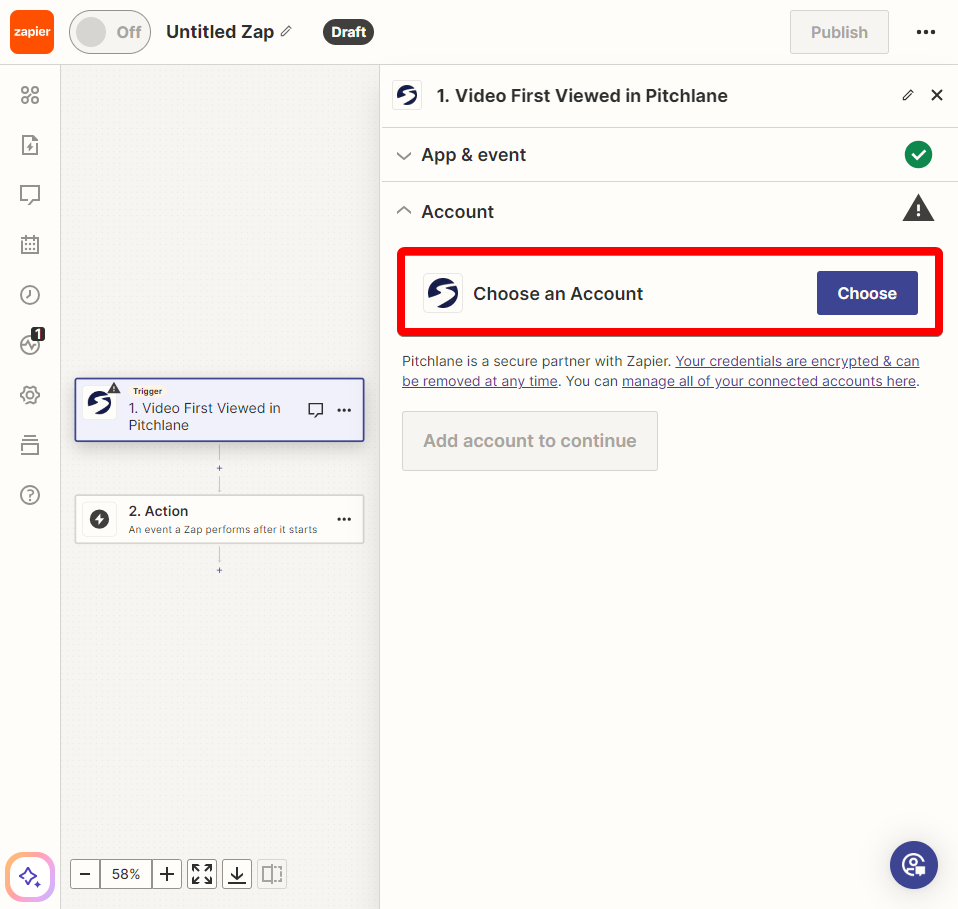
2.) Ensure your Pitchlane Account is linked:
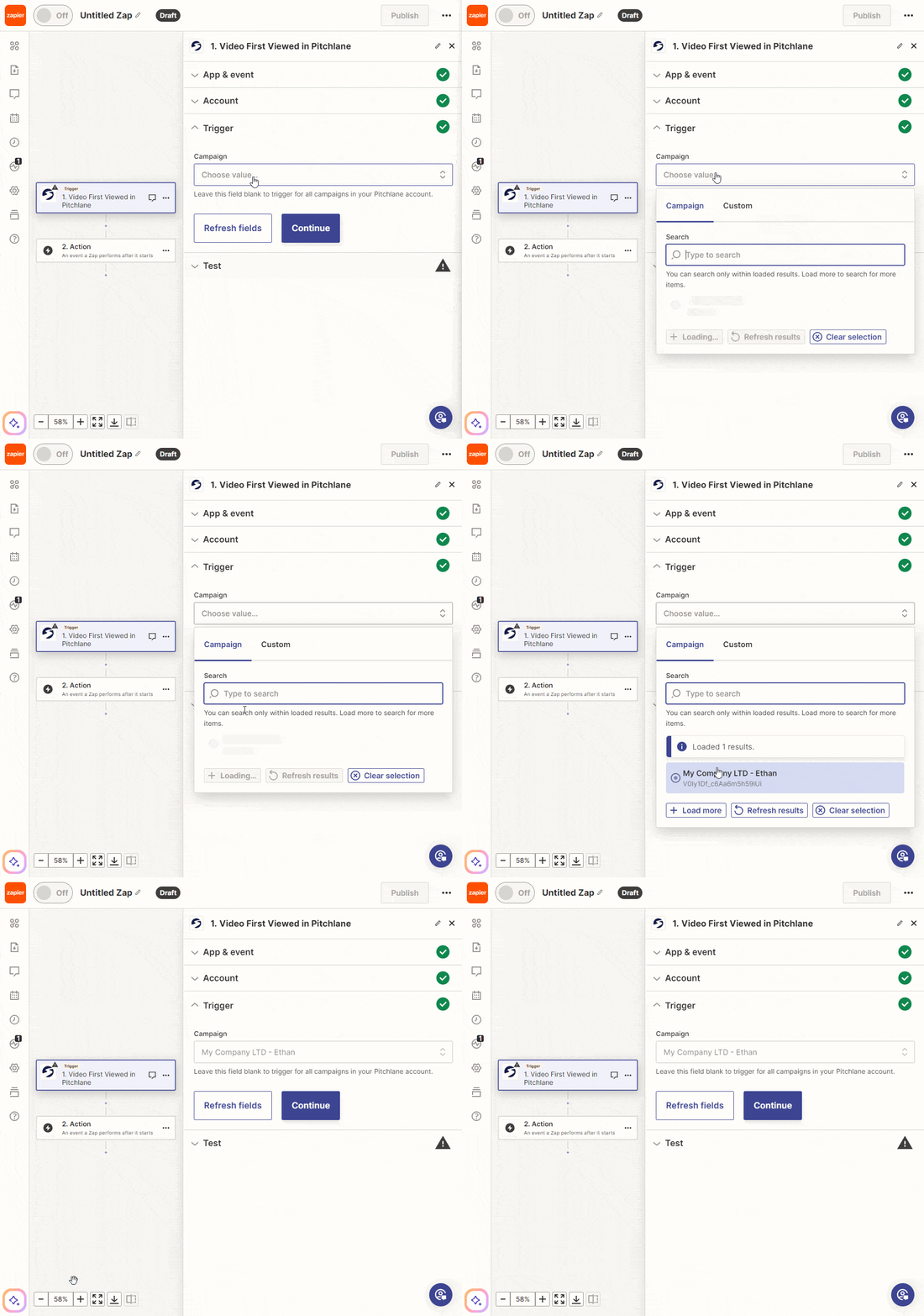
3.) Select your Pitchlane Campaign
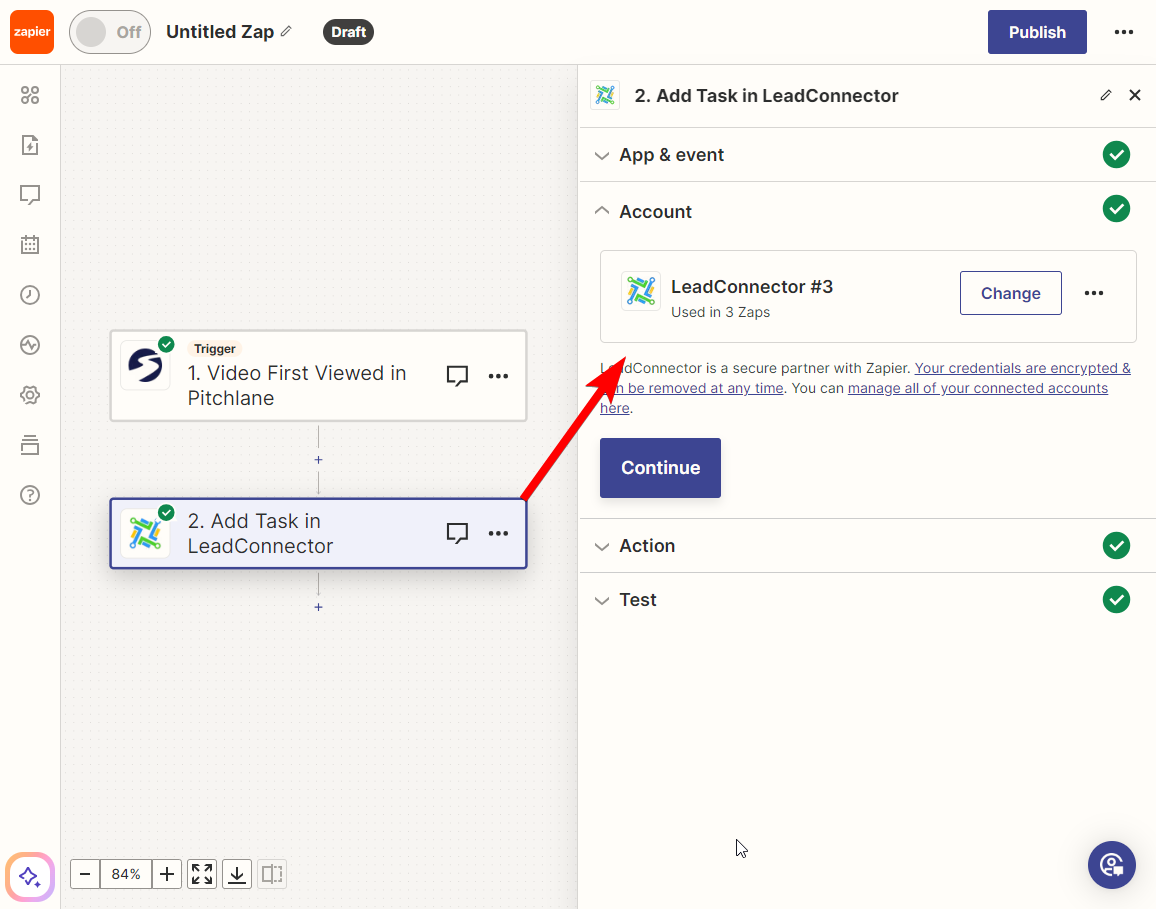
4.) Select the action titled, “Add Task in LeadConnector” and ensure your subaccount is linked.
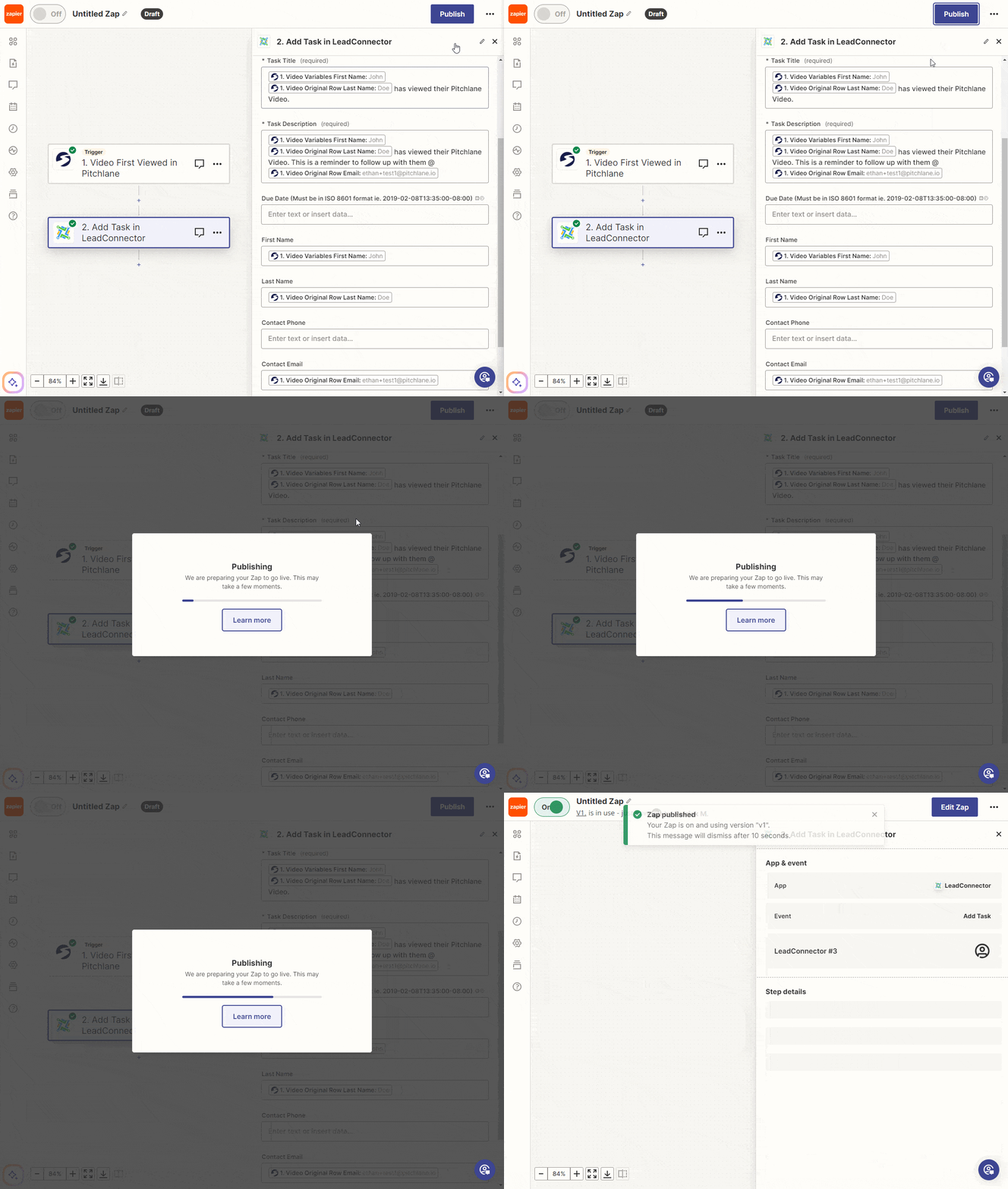
5.) Map the fields accordingly
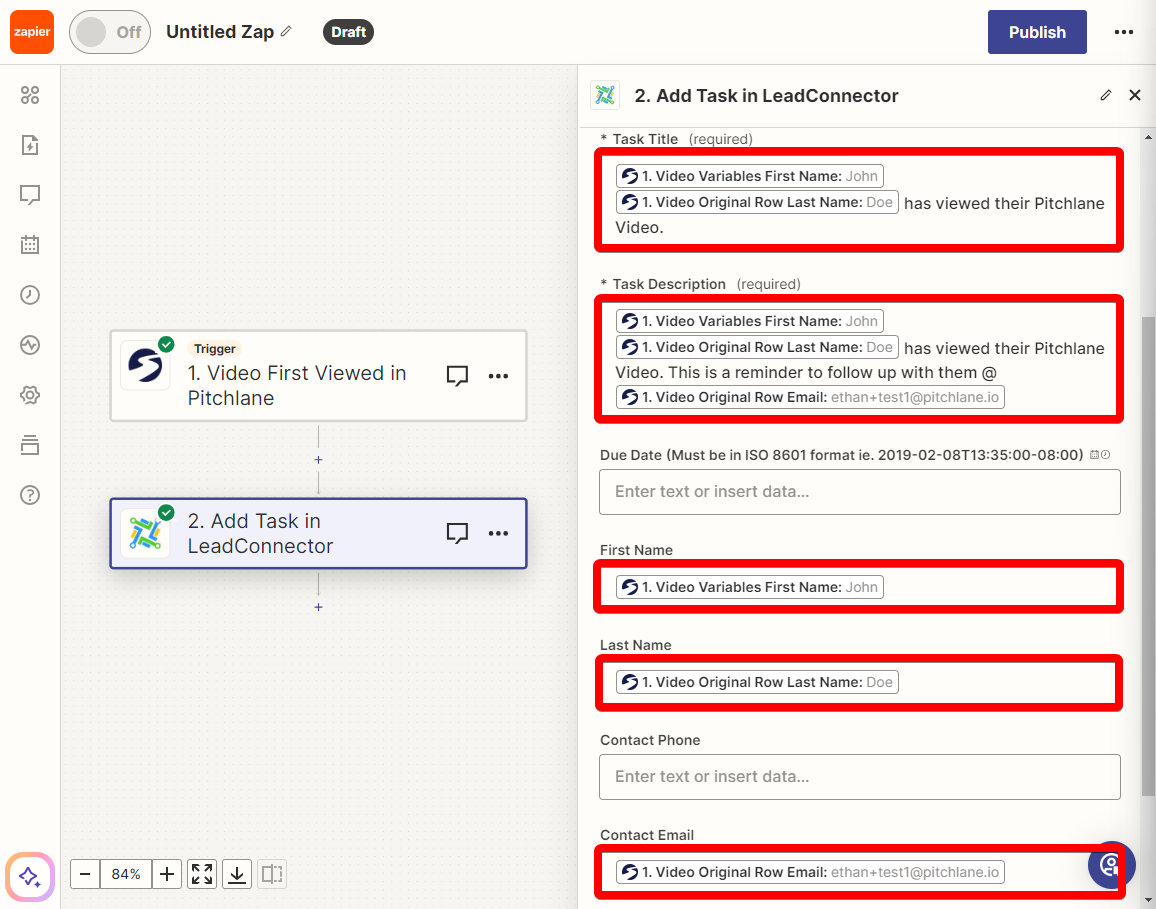
6.) Hit Publish!