
How to use Pitchlane with LaGrowthMachine Linkedin
Updated
1.) Export your Pitchlane Videos as a CSV file
2.) Upload your leads in La Growth Machine
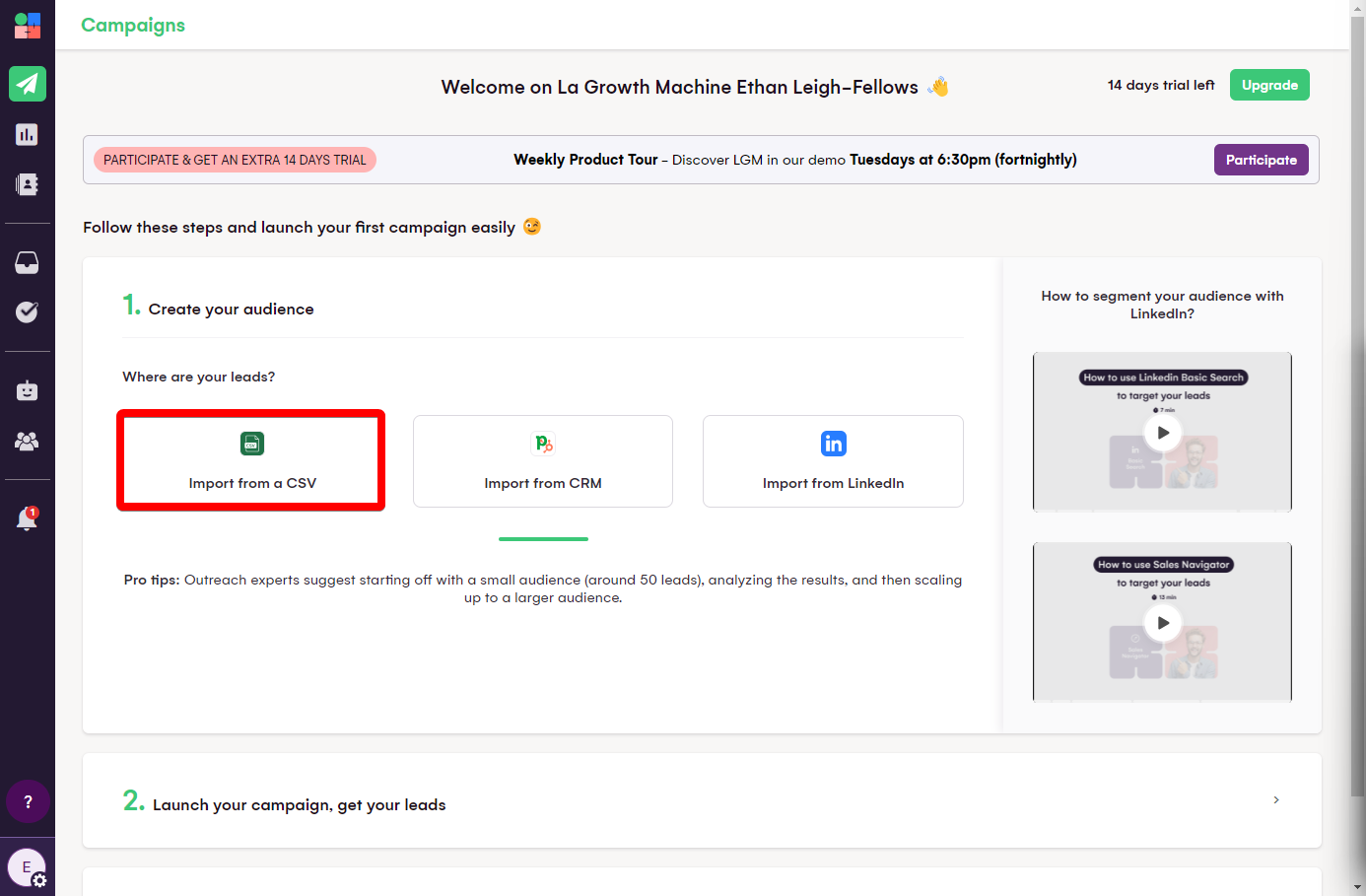
3.) Map the fields accordingly - ensure that the variable “videoUrl” is mapped to a custom variable. Check the box which is titled, “Remove Column Header”
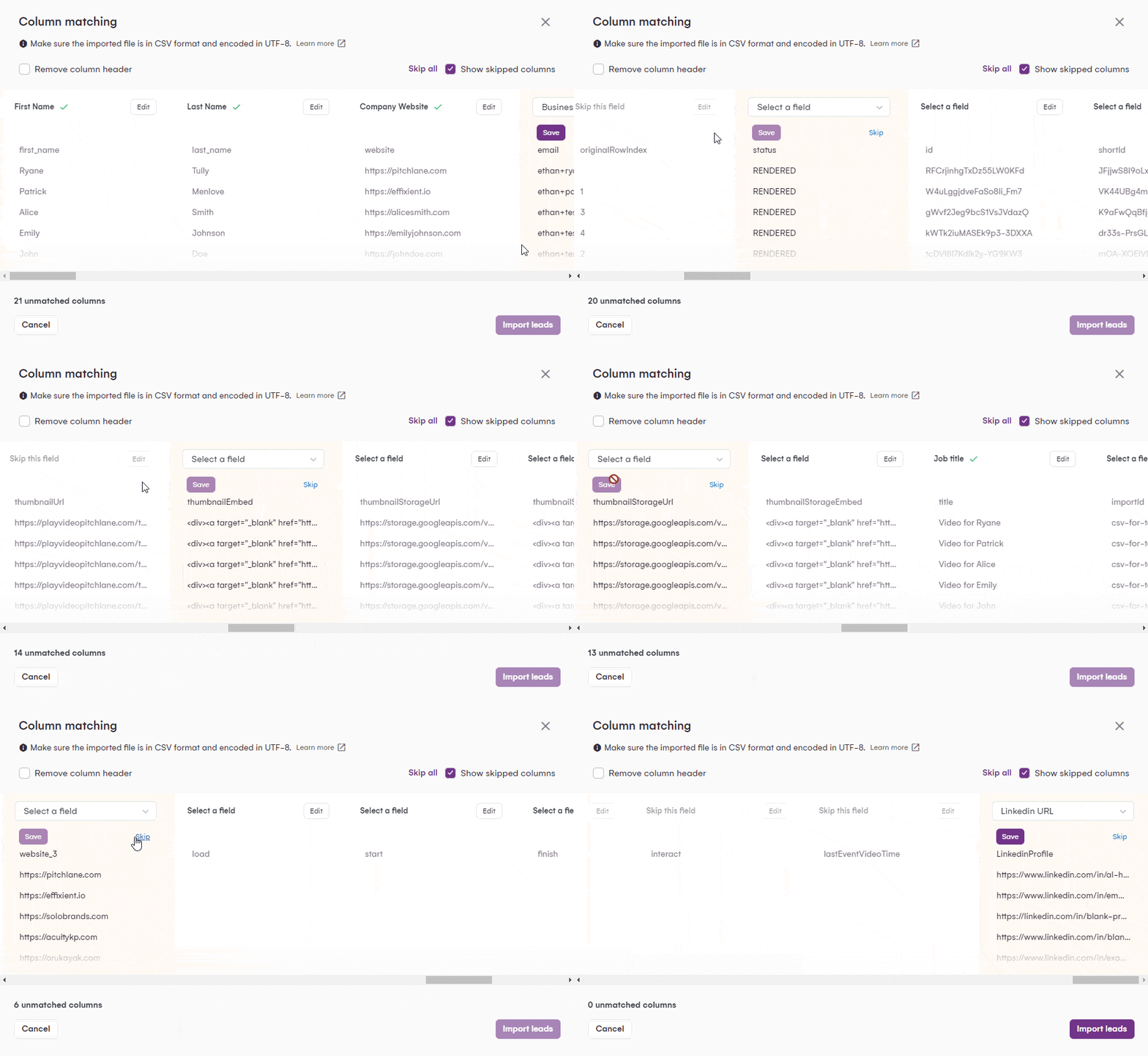
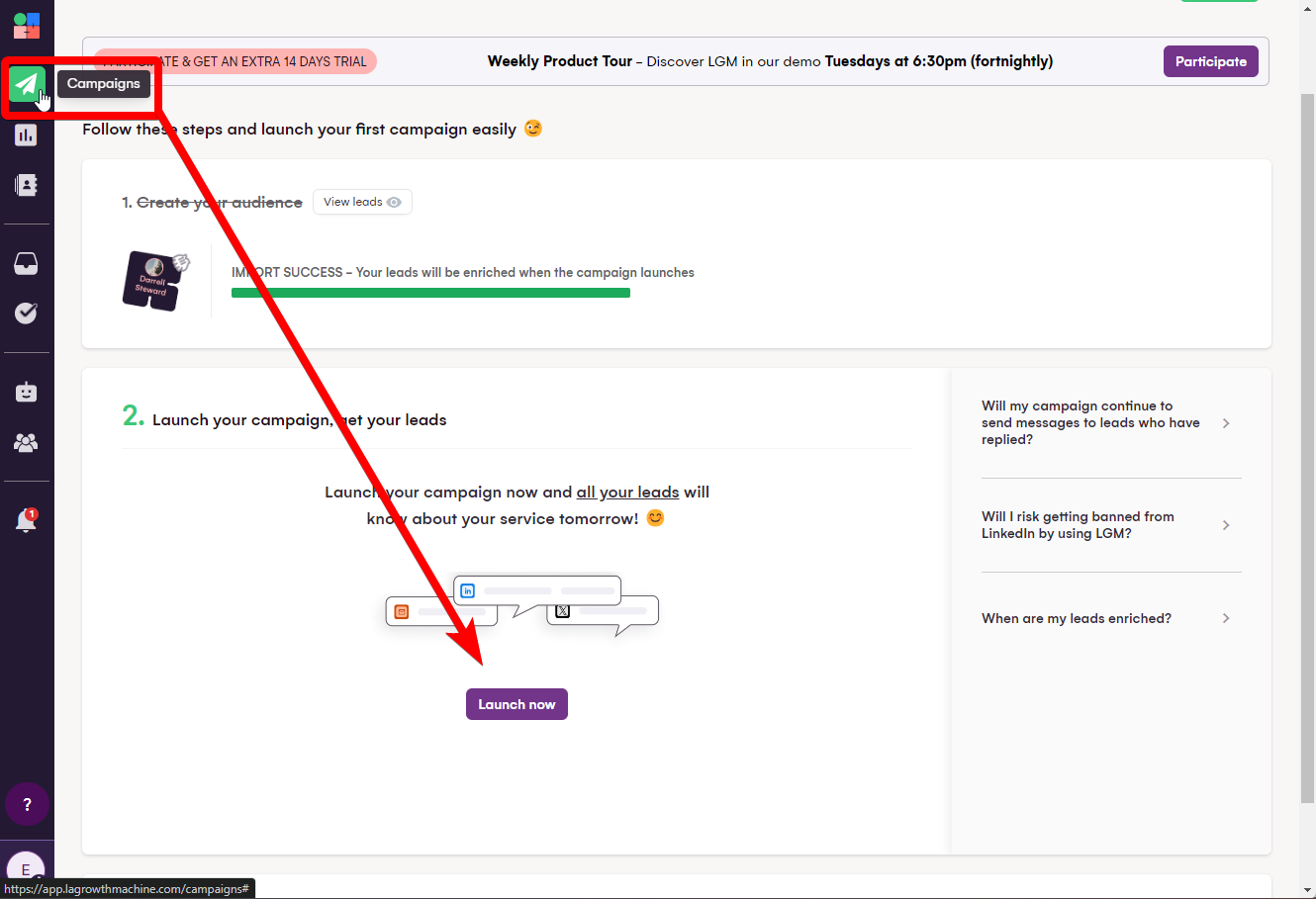
4.) Navigate to the Campaigns section of LaGrowthMachine
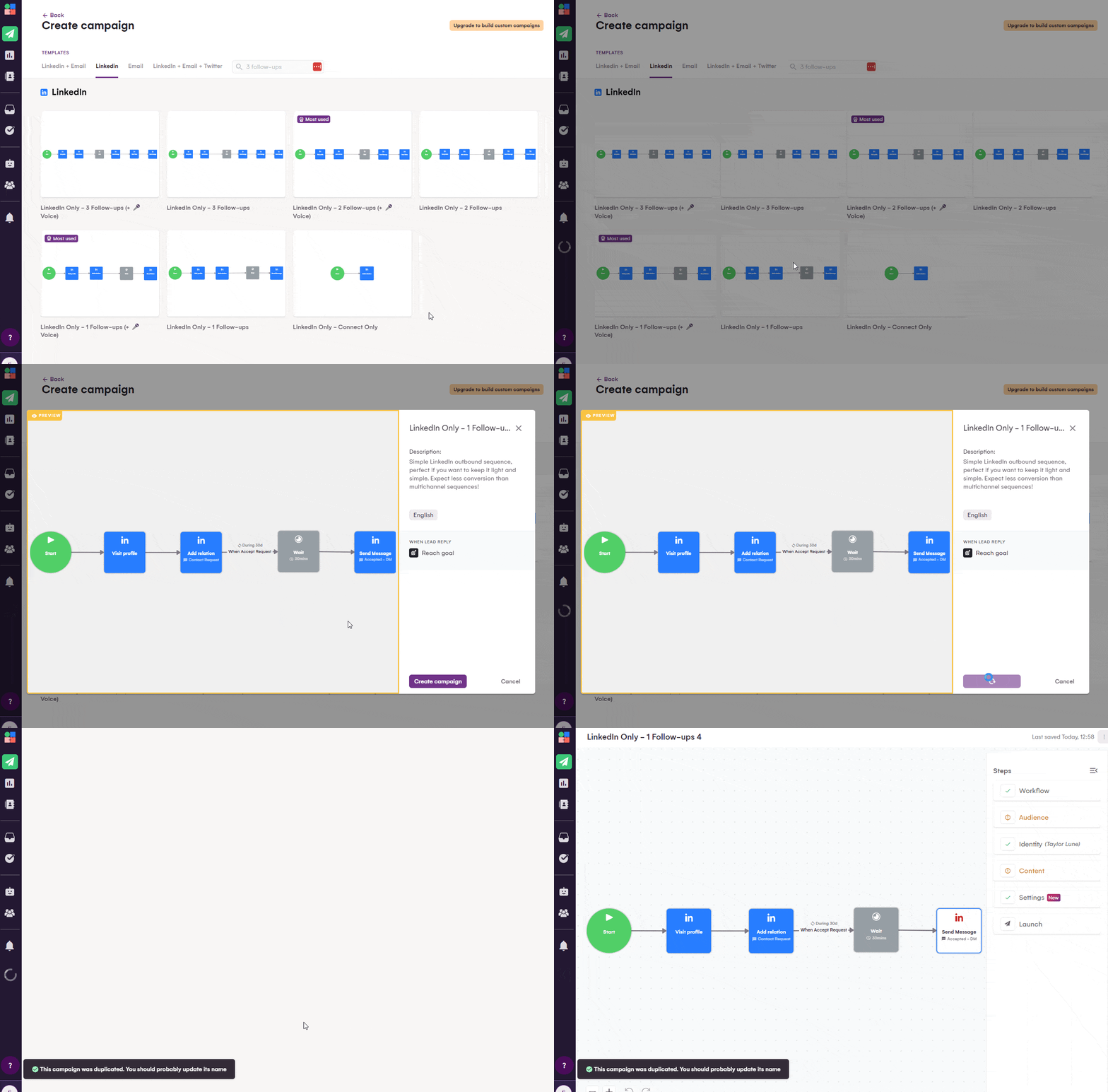
5.) Create a new Linkedin Campaign in LaGrowthMachine
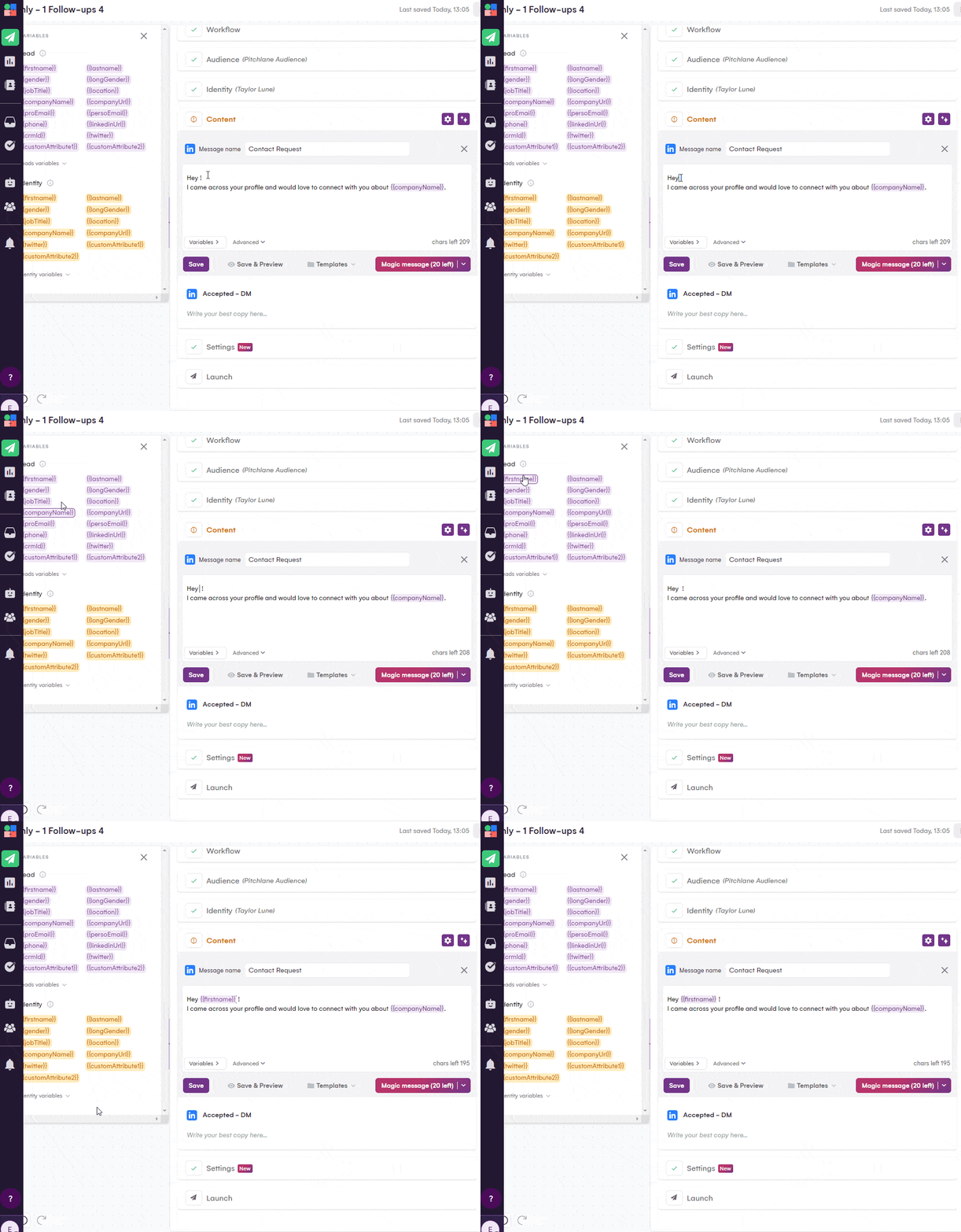
6.) Craft your Contact Request Message!
7.) Craft your Pitchlane message and include the custom variable you mapped videoUrl to.
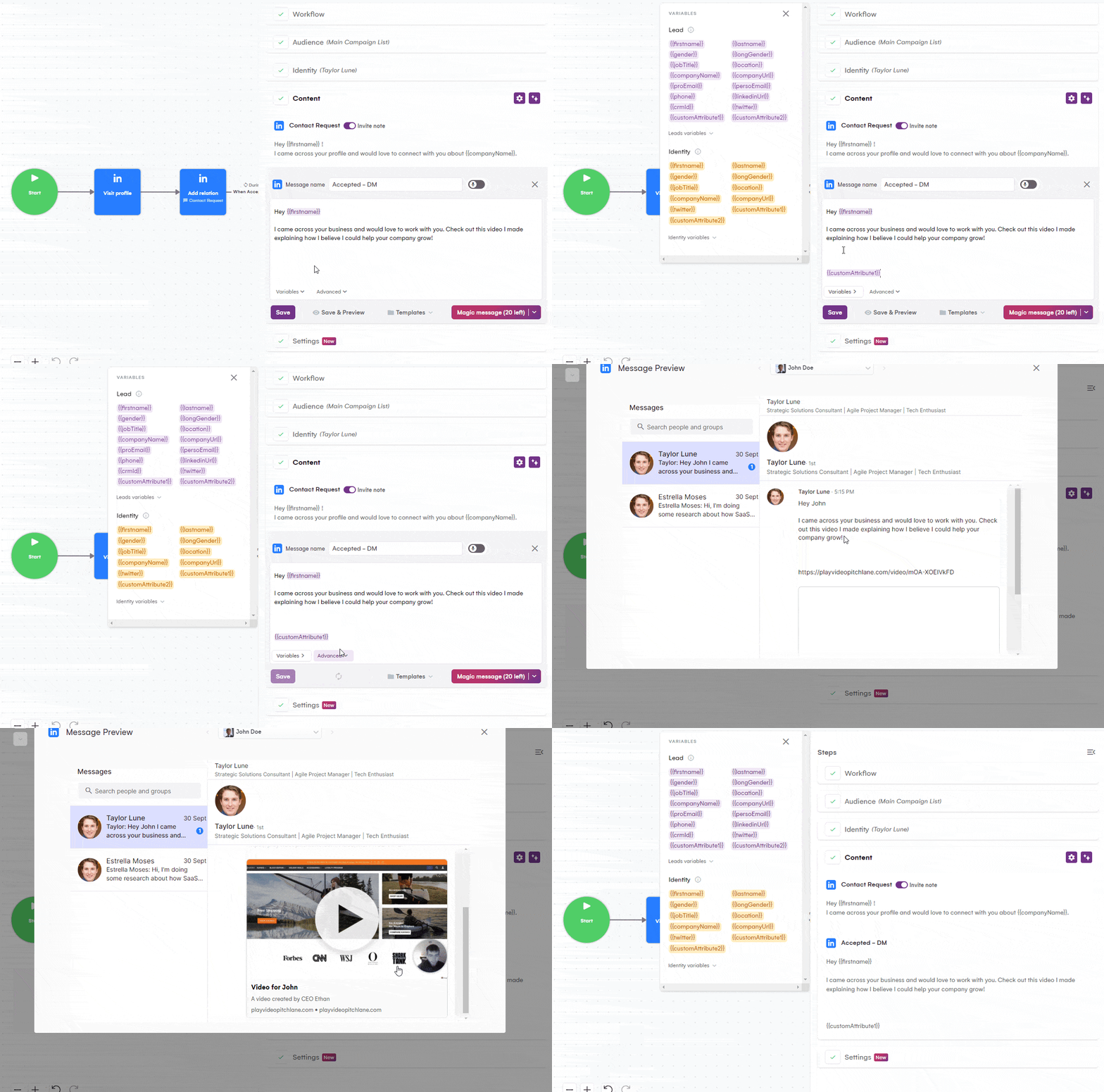
8.) Launch your Campaign!