
How to set up AutoFollowUp in LaGrowthMachine (via Zapier)
Updated
What is AutoFollowUp?
To understand what AutoFollowUp is and how you can leverage it check out this guide: https://help.pitchlane.com/article/126-what-is-autofollowup
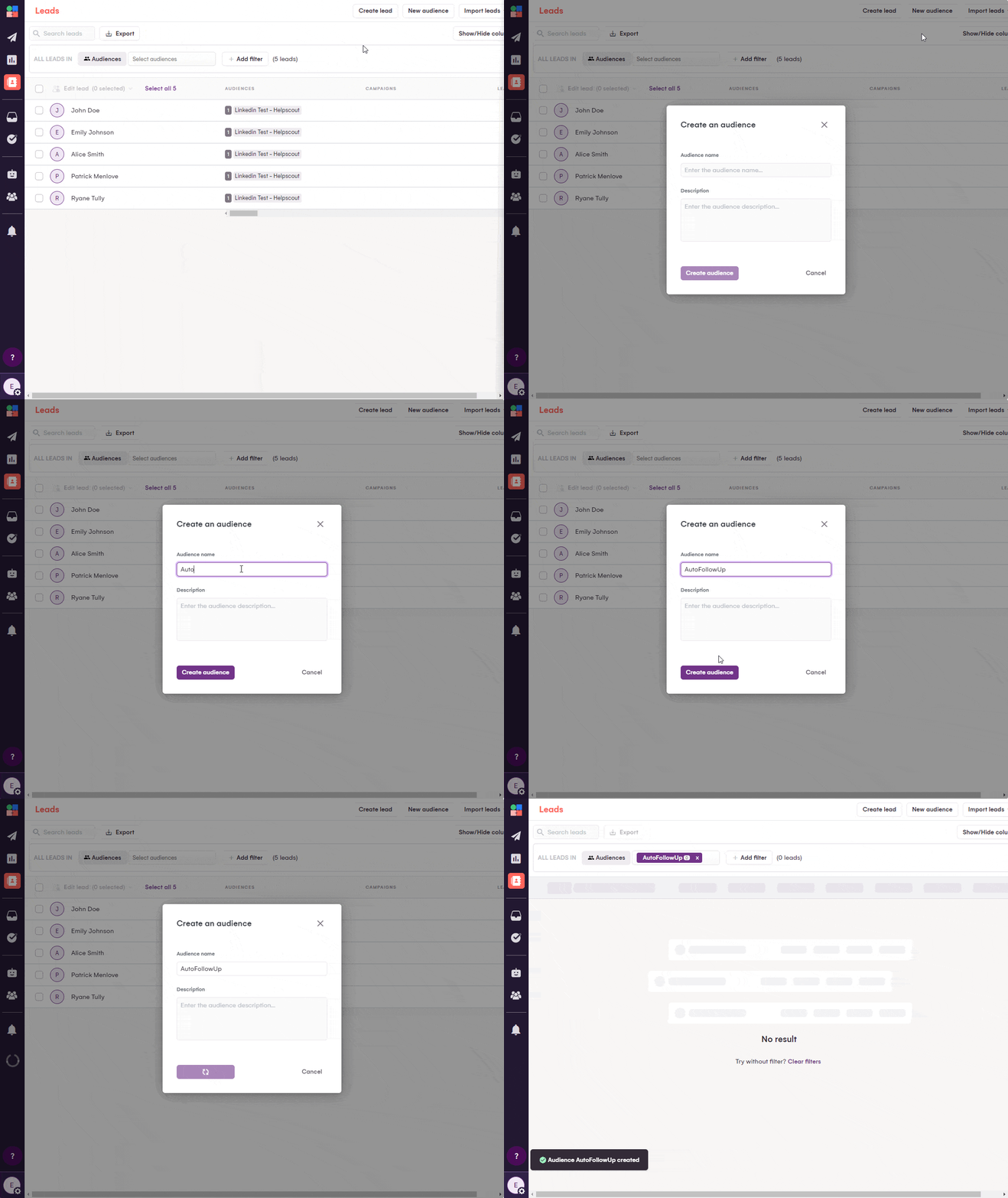
1.) Create a new audience called “AutoFollowUp”
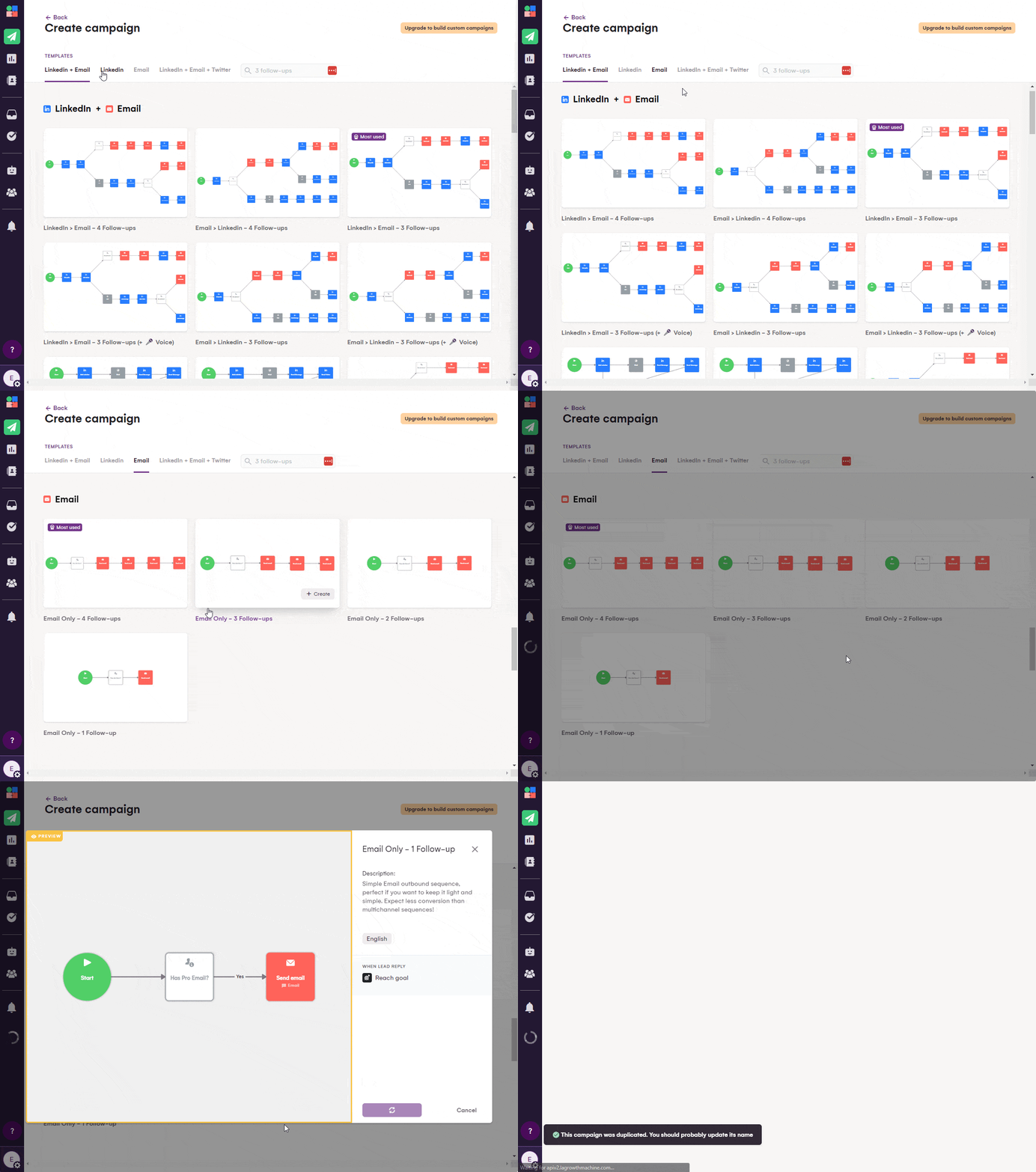
2.) Create a new email campaign
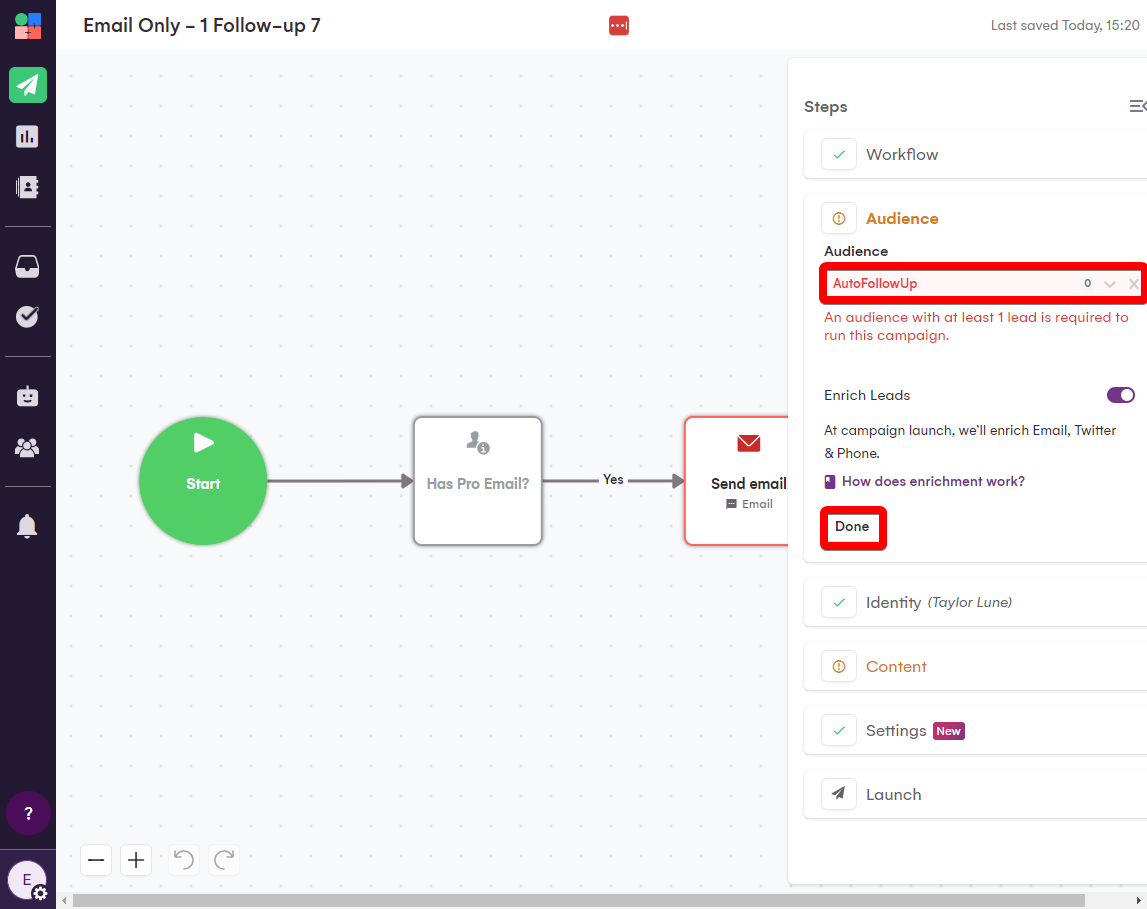
3.) Select the AutoFollowUp audience
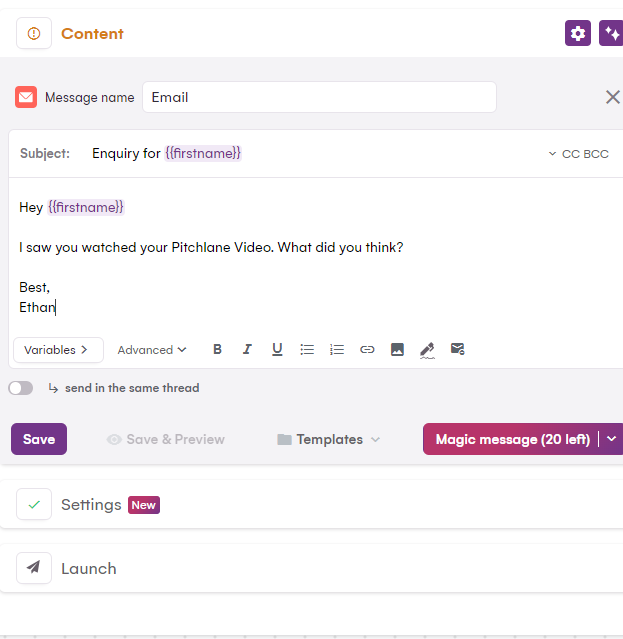
4.) Craft your AutoFollowUp Message
5.) Open our Zapier Template: https://zapier.com/app/editor/template/1680919
6.) Ensure that your Pitchlane account is connected
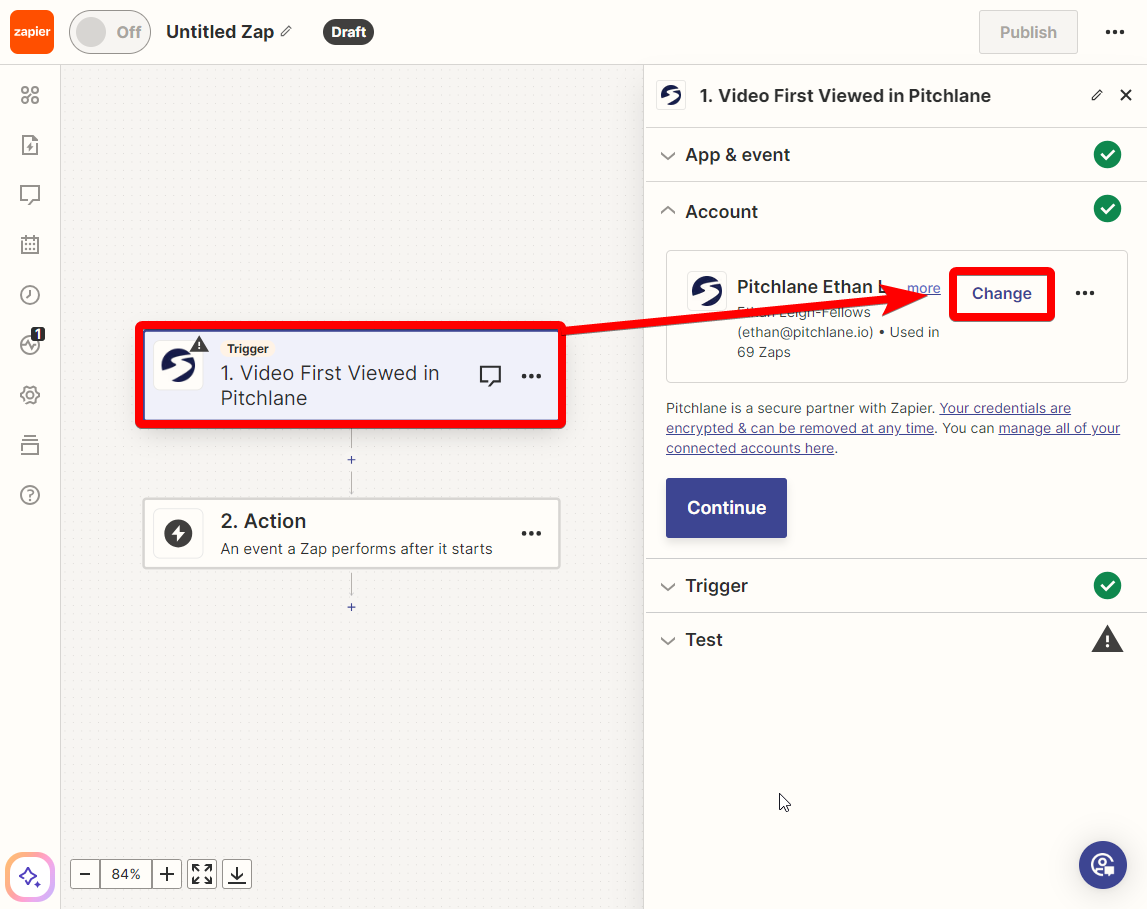
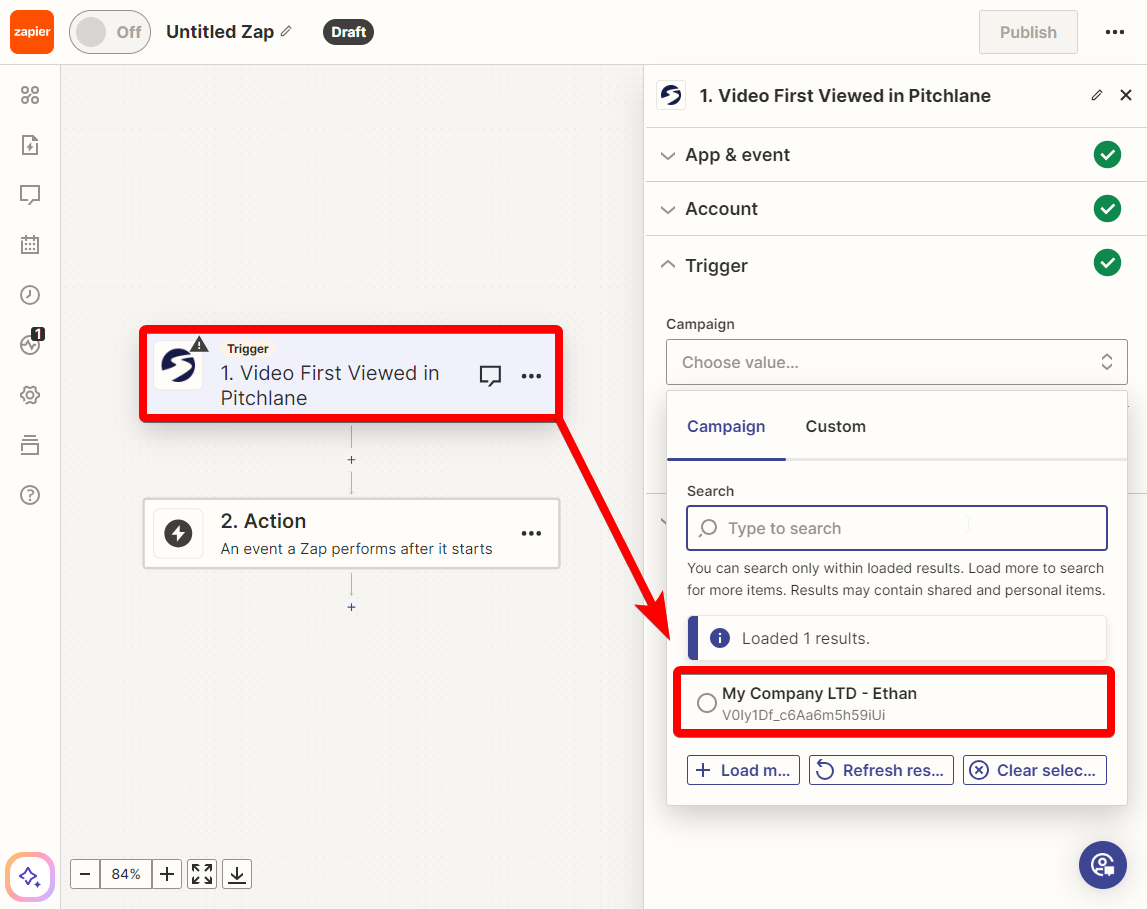
7.) Select your Pitchlane Campaign
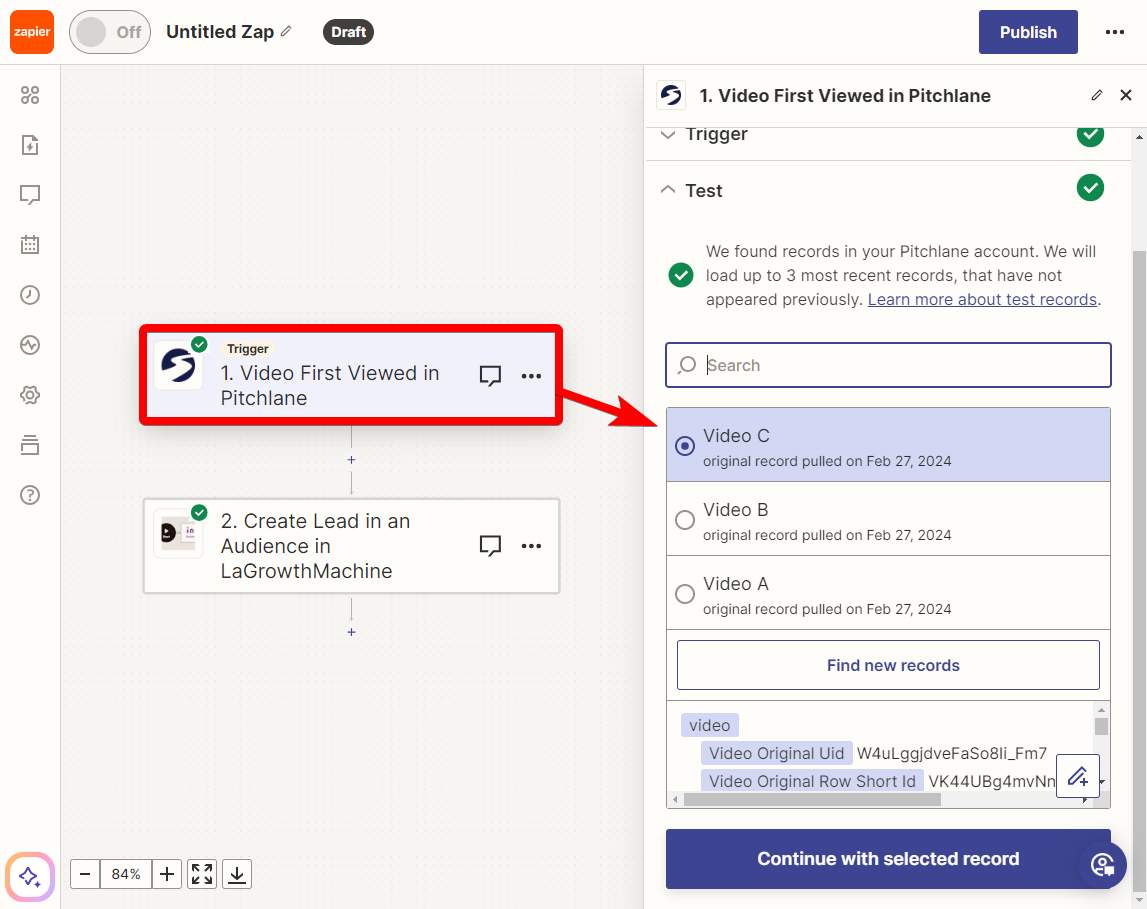
8.) Select a record to test with
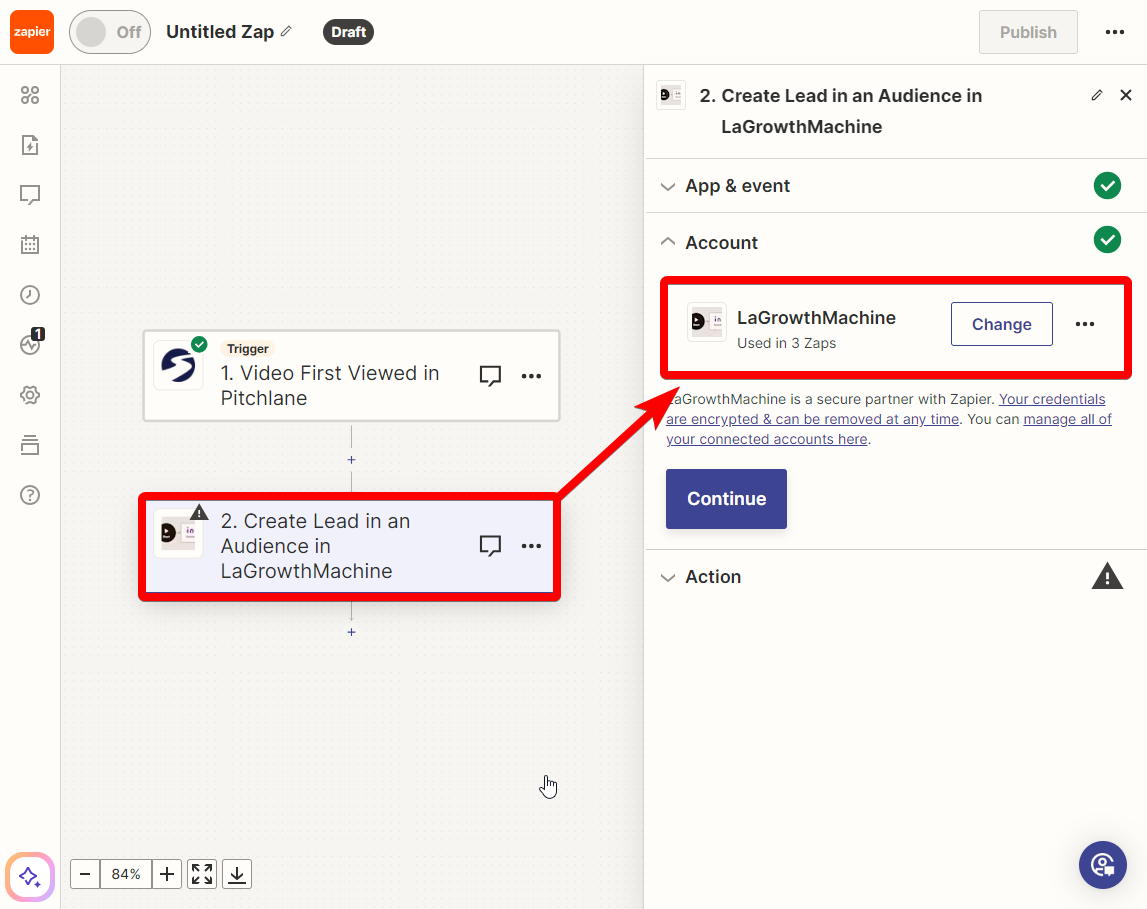
9.) Select the LaGrowthMachine Action & Ensure your account is connected
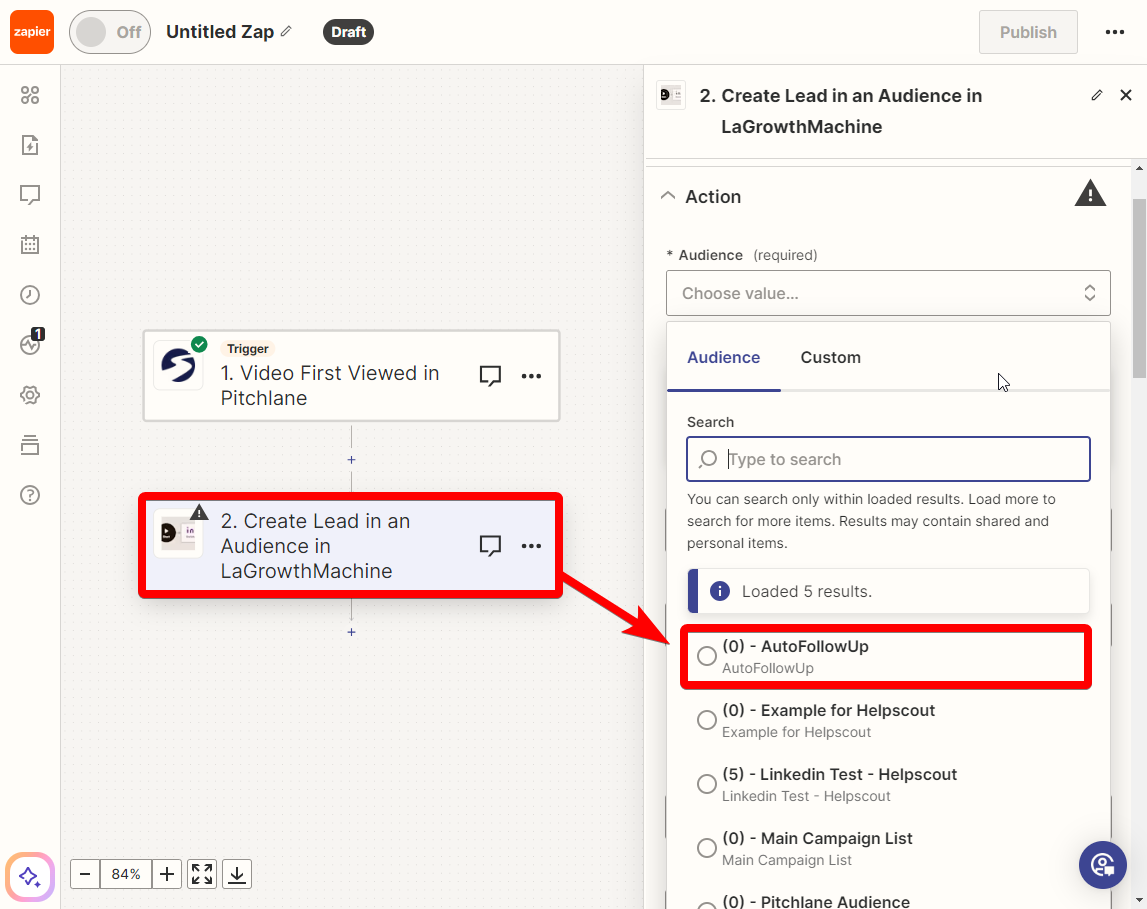
10.) Select your AutoFollowUp Audience
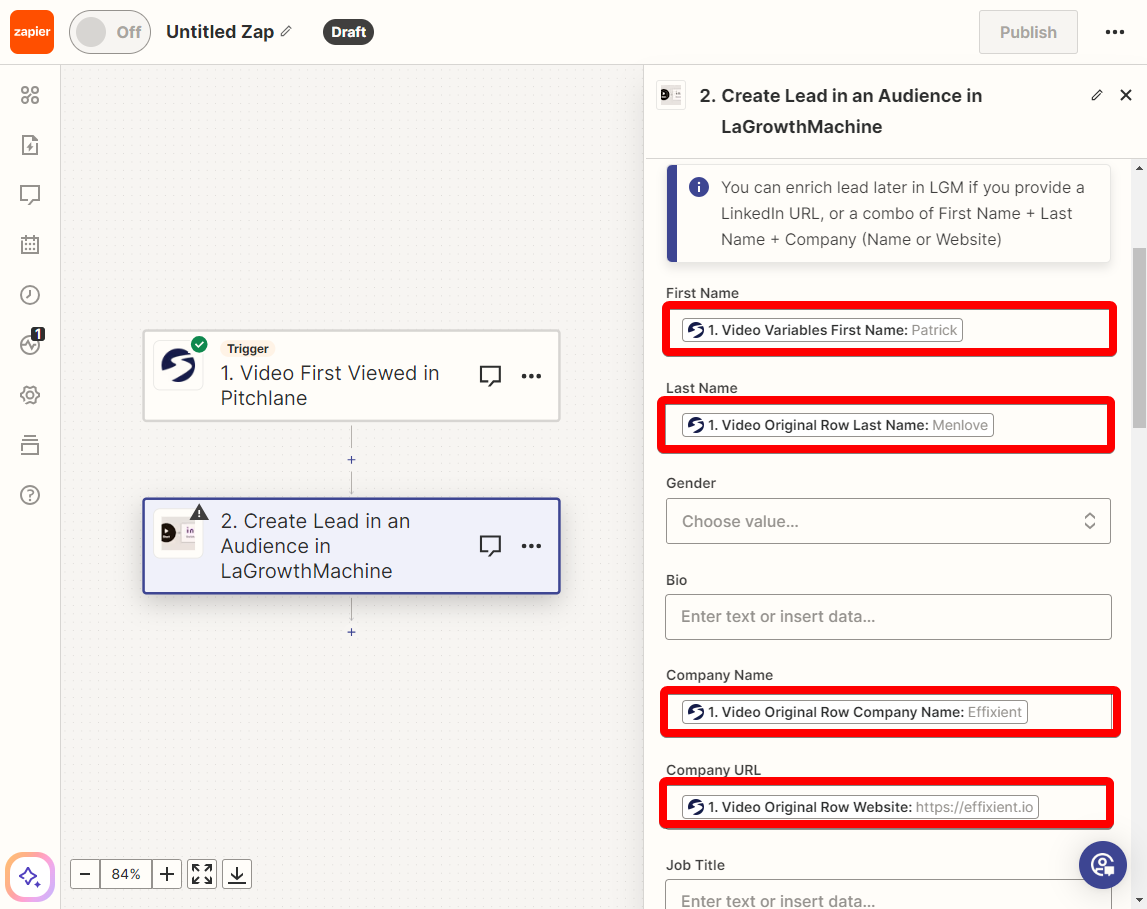
11.) Ensure the fields are mapped correctly
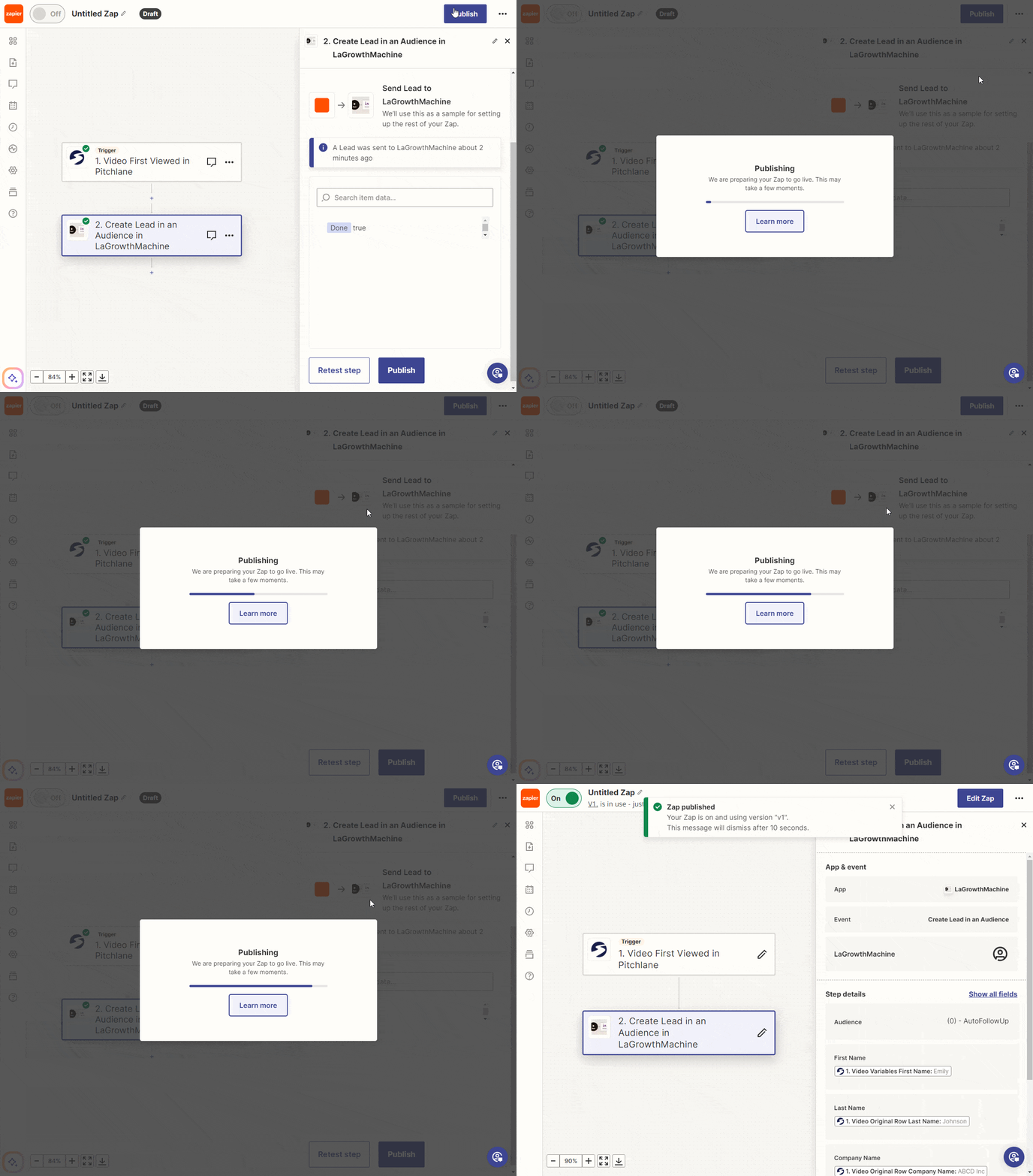
12.) Select “Test Step” & Publish the Zap
13.) Return to LaGrowthMachine and refresh the page & Launch the campaign
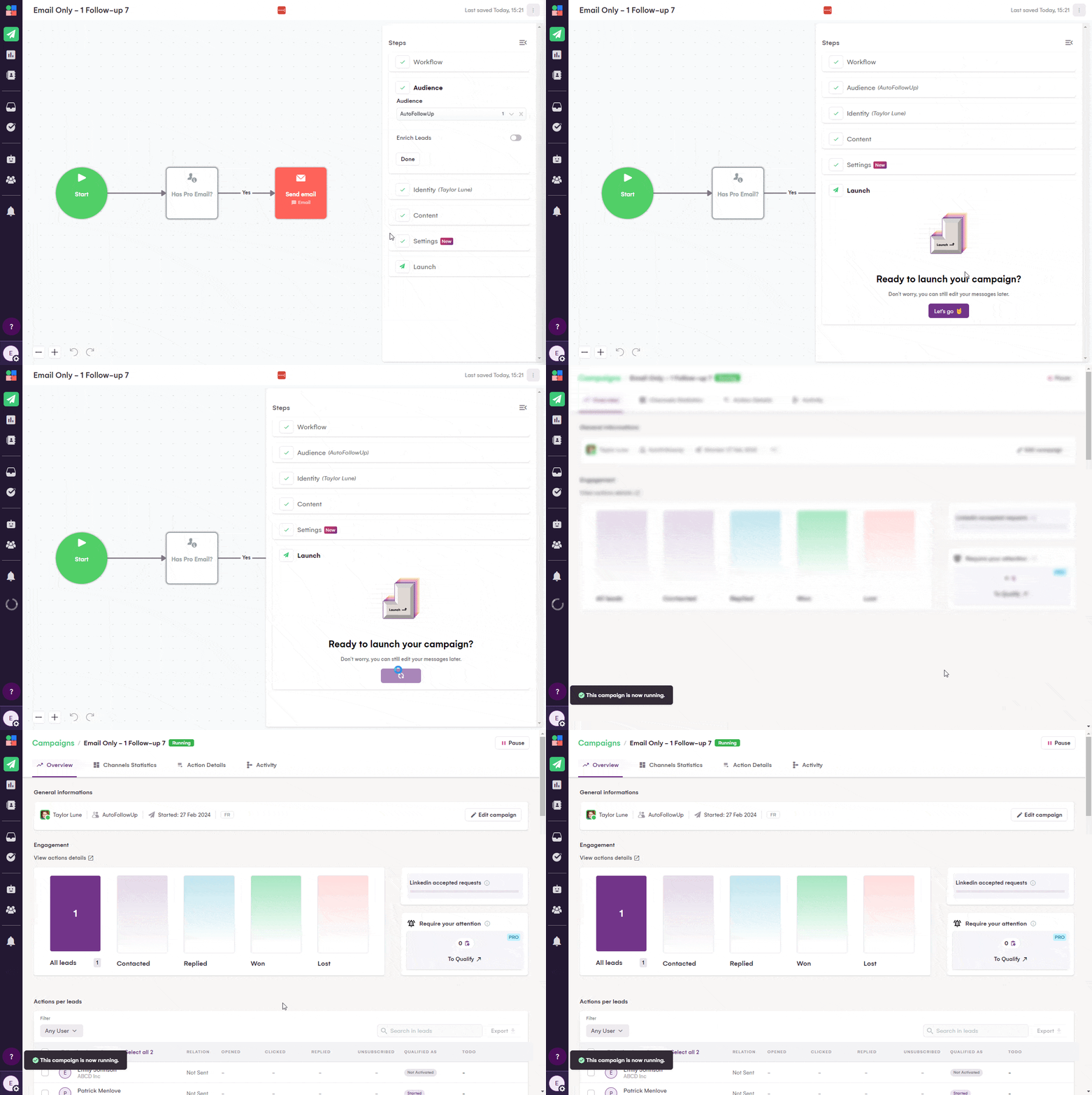
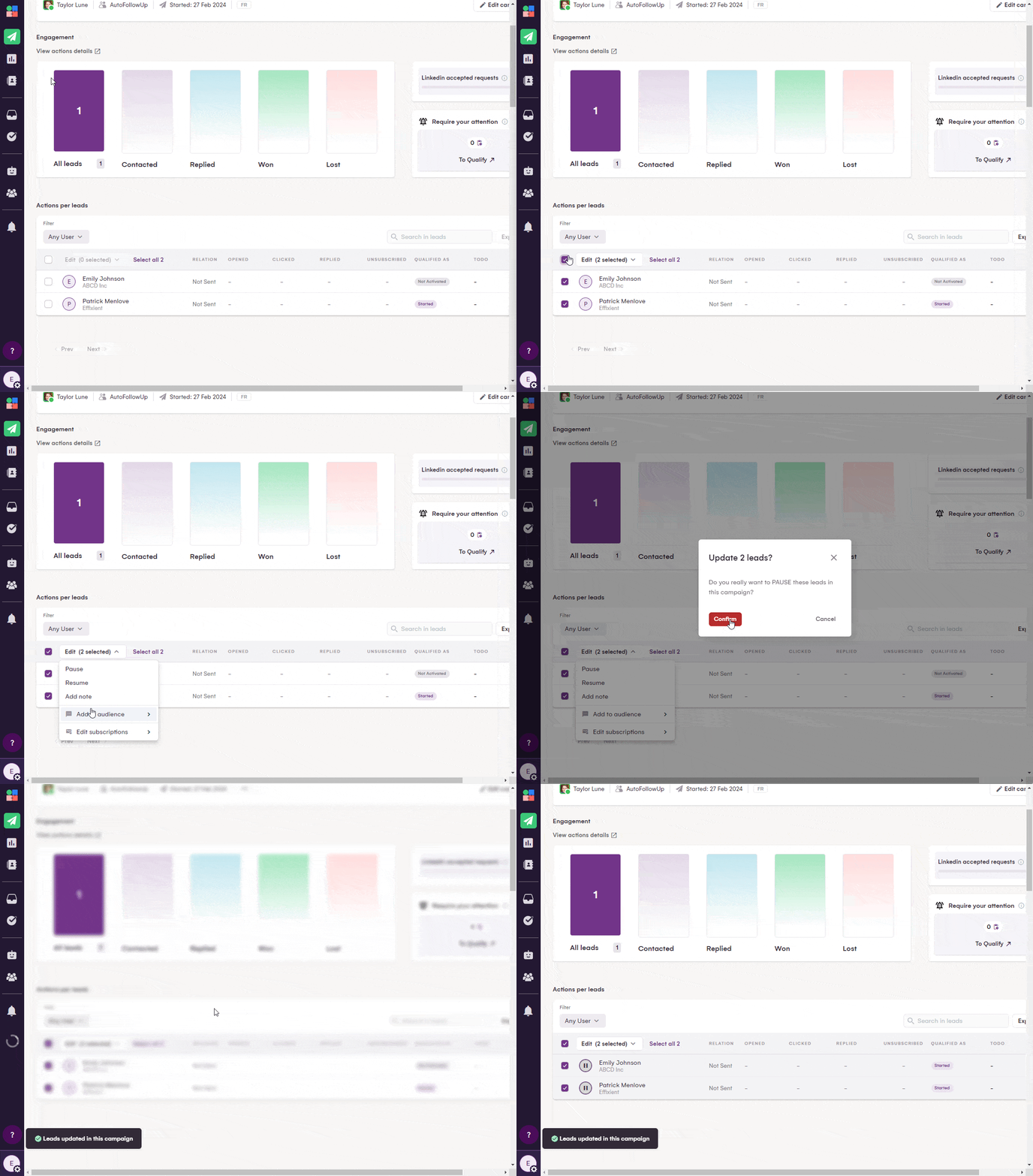
14.) Pause the lead you used to test the Zap.
15.) Congratulations your AutoFollowUp Sequence is now complete!